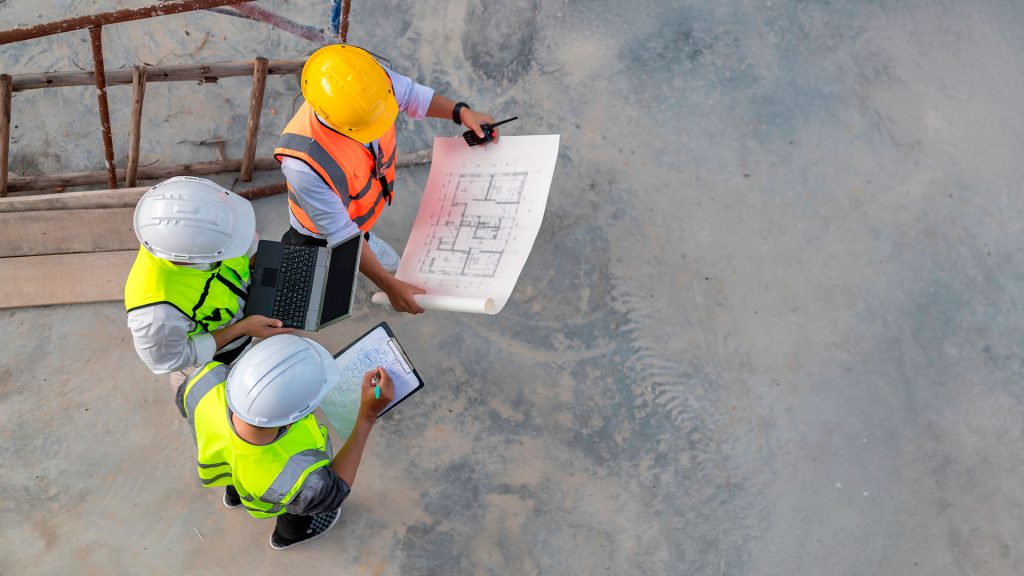

For years, construction’s digital vision has centred on the 3D model — flowing from BIM to site and back again through reality capture. But on the ground, paper still dominates. HP is taking a more pragmatic approach: not replacing 2D workflows, but connecting them — keeping CAD files, printed drawings and site layouts in sync.
The construction sector has rarely been as active, or technologically ambitious, as it is today. SLAM scanners sweep through sites in minutes, generating point clouds for construction verification. Drones and 360° cameras mounted on hard hats feed photogrammetry pipelines for near real‑time progress monitoring. BIM models are no longer confined to the design office – they’re being pushed out to site through mixed reality headsets and tablets.
On paper, it looks like a fully digital future. On site, the reality is more complex.
For all the incredible technologies that are emerging, many driven by AI, printed drawings remain firmly cemented in day‑to‑day workflows. For many firms, the high‑tech systems live in the office, while the real work happens leaning over sheets of A1 paper on a folding table.
With HP Build Workspace, the cloud collaboration and drawing‑management platform, HP is looking to improve on that reality. Rather than ripping paper out of the workflow, it’s now starting to make it far more intelligent, connecting it tightly to the digital backbone of the project.
Discover what’s new in technology for architecture, engineering and construction — read the latest edition of AEC Magazine
👉 Subscribe FREE here
Bringing drawings to life
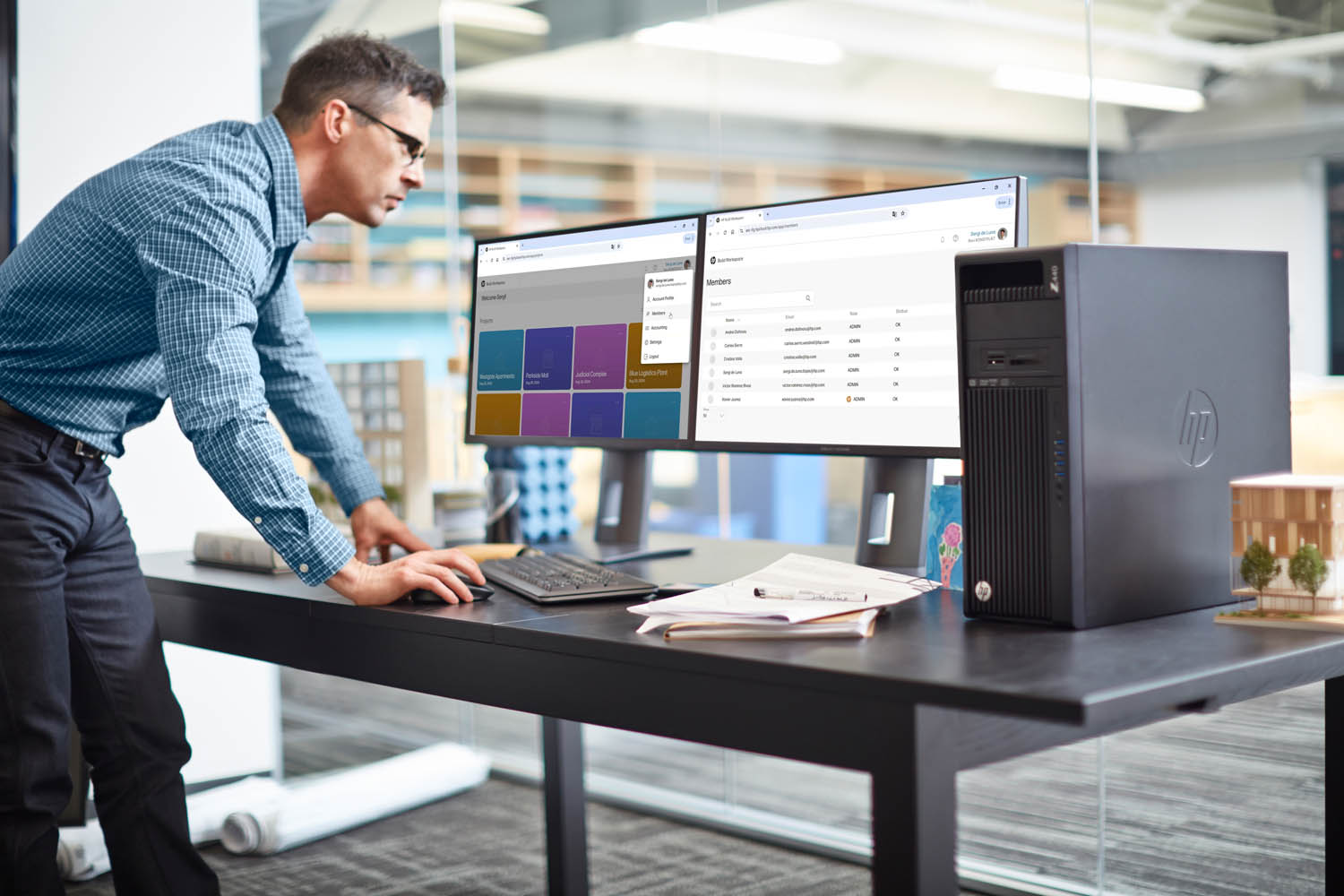
HP Build Workspace launched last year, giving architects and contractors a shared cloud environment where they can organise projects, manage and distribute drawings, assign and track tasks, while keeping everyone aligned around the latest revisions. Comments, tags and markups can be “pinned” directly to specific locations on a drawing, so that every site observation is anchored in a context that everyone understands.
Meanwhile, a companion mobile app allows site teams to capture photos, and voice notes on site and sync them back to the project when connectivity allows. Structured reports, such as site inspection summaries, can then be generated automatically from this growing body of annotated content. The aim is to dramatically reduce the time spent collating information scattered across emails, camera photo reels, WhatsApp threads and ad hoc spreadsheets.
There’s nothing revolutionary here – the AEC industry has seen this many times before with platforms like Procore and Autodesk Construction Cloud. But HP believes many of the existing tools are too broad, too complex, too costly and, perhaps most importantly, don’t put paper firmly in the loop.
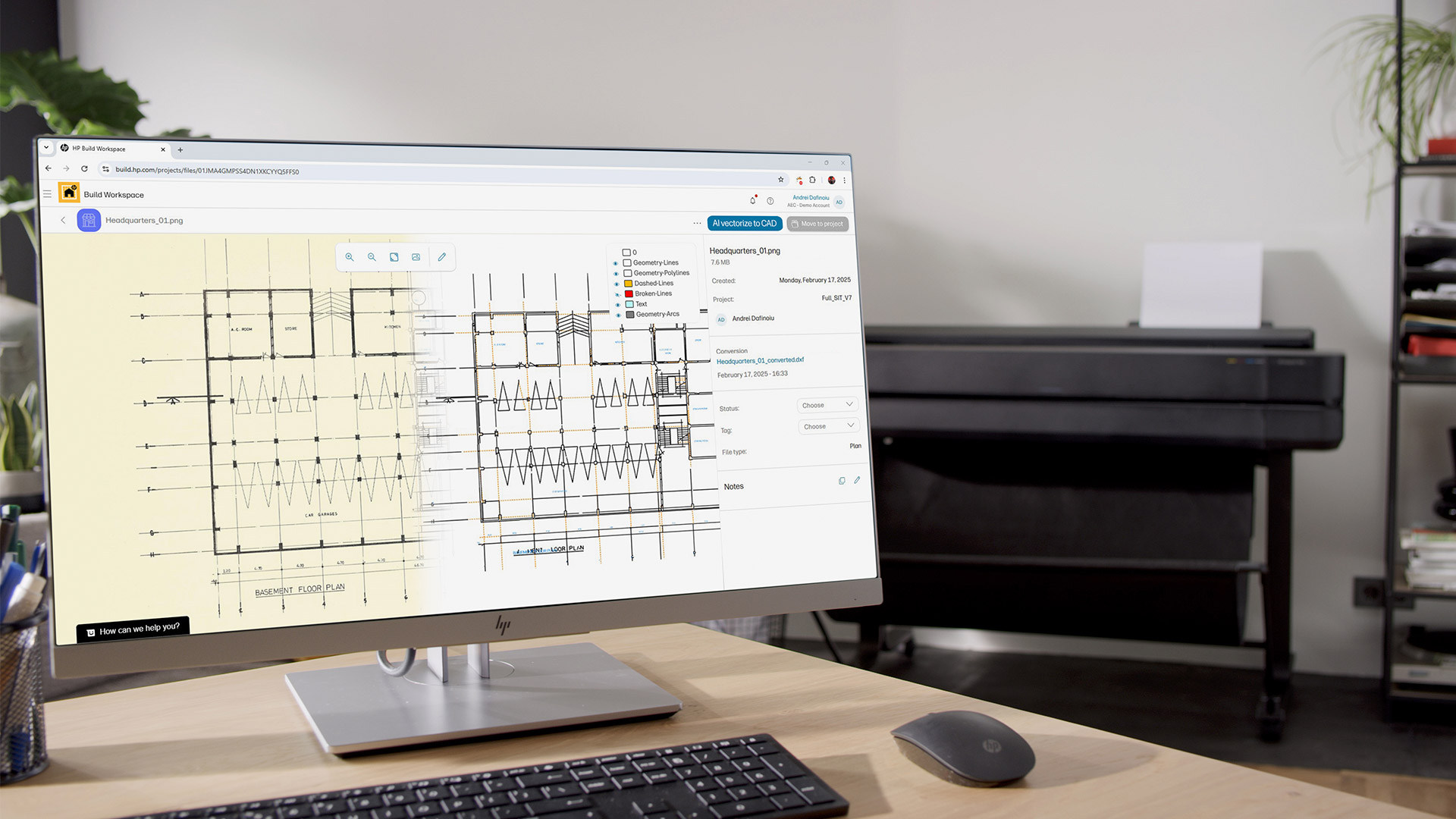
HP Build Workspace initially targeted printed drawings with AI vectorisation, converting scanned or PDF files, even those with hand‑written notes, into CAD-editable vector files that HP says deliver much higher accuracy than before.
An AI engine trained on architectural drawings can distinguish doors, windows, walls, line types and more, and place them on different layers. It’s particularly useful for refurbishment and retrofit work, where teams often start from old paper drawings. However, it also lays the groundwork for deeper intelligence: quantify take-off or searching for text within a set of drawings.
HP’s AI vectorisation isn’t just for buildings. A new AI model trained on civil engineering drawings has just been launched, meaning it can also be applied to road, rail and other infrastructure projects.
Currently, AI vectorisation runs in the cloud, but later this year it will also be available locally on HP Z Workstations — delivering the best performance on systems with built-in NPUs. HP says this approach will be up to twice as fast and appeal to customers that need to keep sensitive data local.
Connecting paper to digital
While AI-driven vectorisation can give legacy paper drawings a new lease of life, the real opportunity for HP’s Construction Services division — also responsible for HP DesignJet large format printers and scanners — lies with bringing digital and physical drawings closer together.
As in most construction firms, the biggest risk around drawings is that people end up working from different revisions.
A revised plan might be sitting on a server or in a cloud platform while a site supervisor is still building from a week‑old print pinned to the wall. Someone may have scribbled critical markups on an A1 sheet in a coordination meeting, then handed it off to be “put into the system” later, relying on another person to file it correctly. Every mismatch between physical and digital introduces risk — of rework, clashes, delays, and claims.
HP’s answer, announced this week at HP Imagine, is to give every printed drawing a unique identifier that can be traced back to its digital source in Build Workspace. In practice, that means QR codes.
From the user’s perspective, a QR code is automatically generated in Build Workspace and placed in the title block or a corner of the drawing. Once that sheet is printed, the QR code becomes a bridge between the paper and the cloud. Anyone in the field can scan it with a mobile device and immediately see whether they are holding the latest revision
If a newer version exists, they are given the option to print. And, as you would expect, this can be done seamlessly from HP Build Workspace to an HP DesignJet printer – preferably one that’s sitting in the site office.
Of course, once a print is out in the wild, it’s often marked up by hand with redlines, notes, and sketches. To close the loop and ensure those annotations are captured digitally and managed effectively, annotated drawings can be scanned and fed back into HP Build Workspace.
Naturally, HP is looking to add value to those customers that use its scanners and is introducing the concept of the “connected multi-function printer.” The goal is to create an optimised workflow that takes scans directly into HP Build Workspace with minimal user intervention. Details are still sparse, but HP says redlined drawings will be automatically archived as new versions, with changes tracked and tasks generated directly from the markups.
Version control
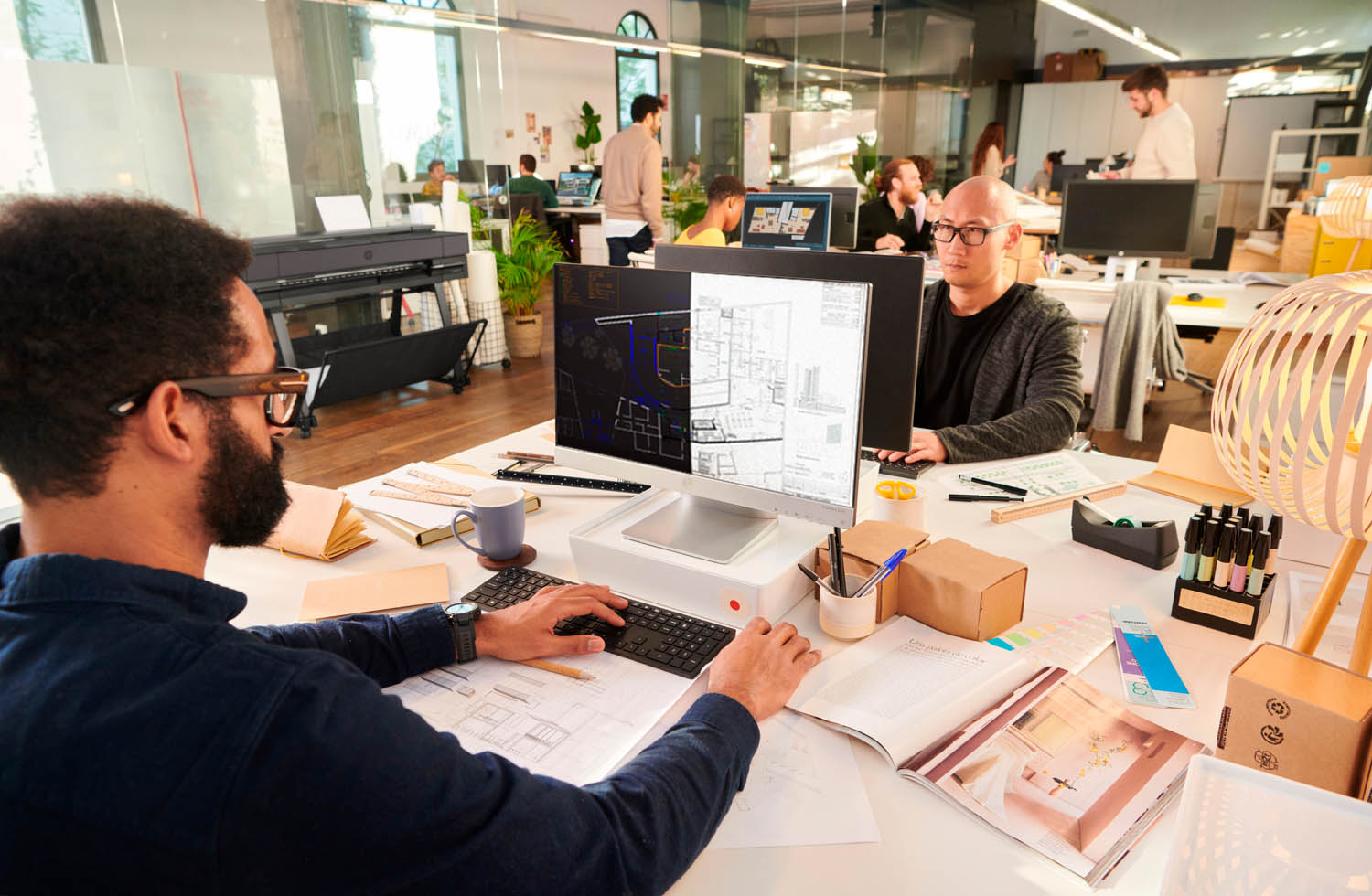
HP Build Workspace is also being extended with richer version control and version‑compare overlays. Each digital drawing now has a traceable history of revisions, so users can see how it has evolved over time. More importantly, they can compare versions within the system, using colour coded overlays to highlight what’s been added, removed or modified, in much the same way a tool like Bluebeam Revu already does.
Users can either overlay two drawings in a single view or place them side by side.
That’s valuable at multiple stages of a project. Designers and BIM coordinators can quickly sanity‑check that a late‑stage revision only changes what it’s supposed to. Site managers can review updates to make sure no critical scope has “disappeared” in a revision without proper communication. Owners and consultants can more easily understand the impact of change orders.
Playing in a crowded market
Any new platform in construction must coexist with a crowded ecosystem, and HP is very aware of that. Tools like Autodesk Navisworks and Autodesk Construction Cloud (ACC) are already entrenched in many organisations for model coordination, clash detection and broader project management.
HP is not trying to replicate that entire stack inside Build Workspace. Instead, its vision is complementary: to ensure that when coordinated designs are translated into 2D sheets and sent to site, they don’t lose their connection to a controlled source of truth.
That means Build Workspace should be able to talk to other platforms and pull data from (and push data to) those repositories rather than replace them. While integrations with project management systems have not yet been announced, it’s a key part of the roadmap.
While HP remains predominantly focused on 2D with support for formats including DWG, DXF and DGN, there are plans to support BIM models (IFC and Revit) for viewing within Build Workspace. That will allow users to visualise discipline models inside the same environment where their 2D drawings and markups live, without having to round‑trip through separate applications.
From layout robot to digital citizen
If Build Workspace is HP’s answer to connecting drawings and simplifying collaboration, HP SitePrint is its solution to one of the most labour‑intensive and error‑prone processes on any site: layout.
Traditionally, layout is done with tape measures, string lines, and chalk — the same basic techniques that, as HP points out, date back to the construction of the Pyramids.
Manually translating a design into accurate lines on a concrete slab is slow, heavily dependent on specialist crews, and vulnerable to human error. A mis-pulled dimension or misinterpreted drawing can easily cascade into clashes and costly rework.
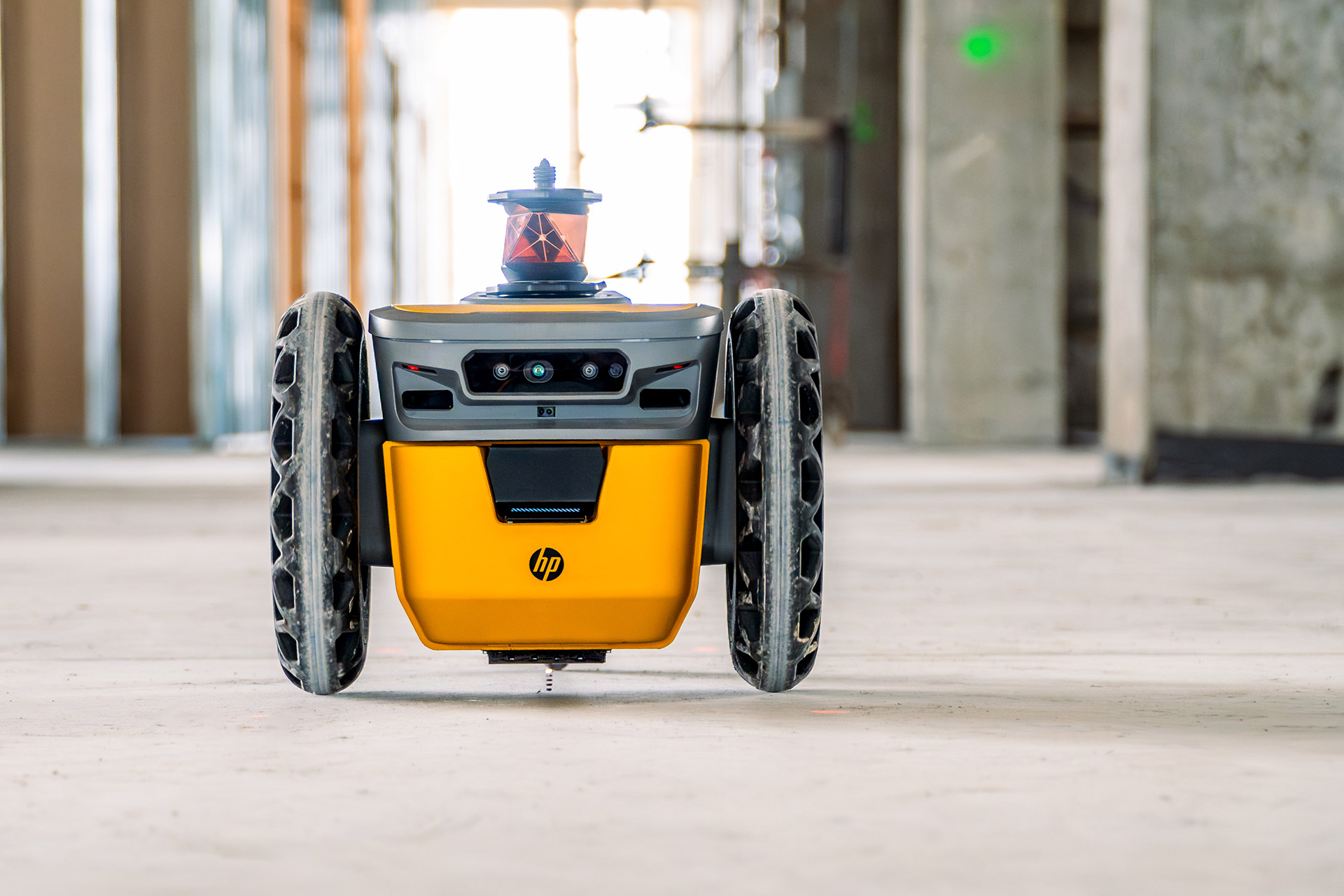
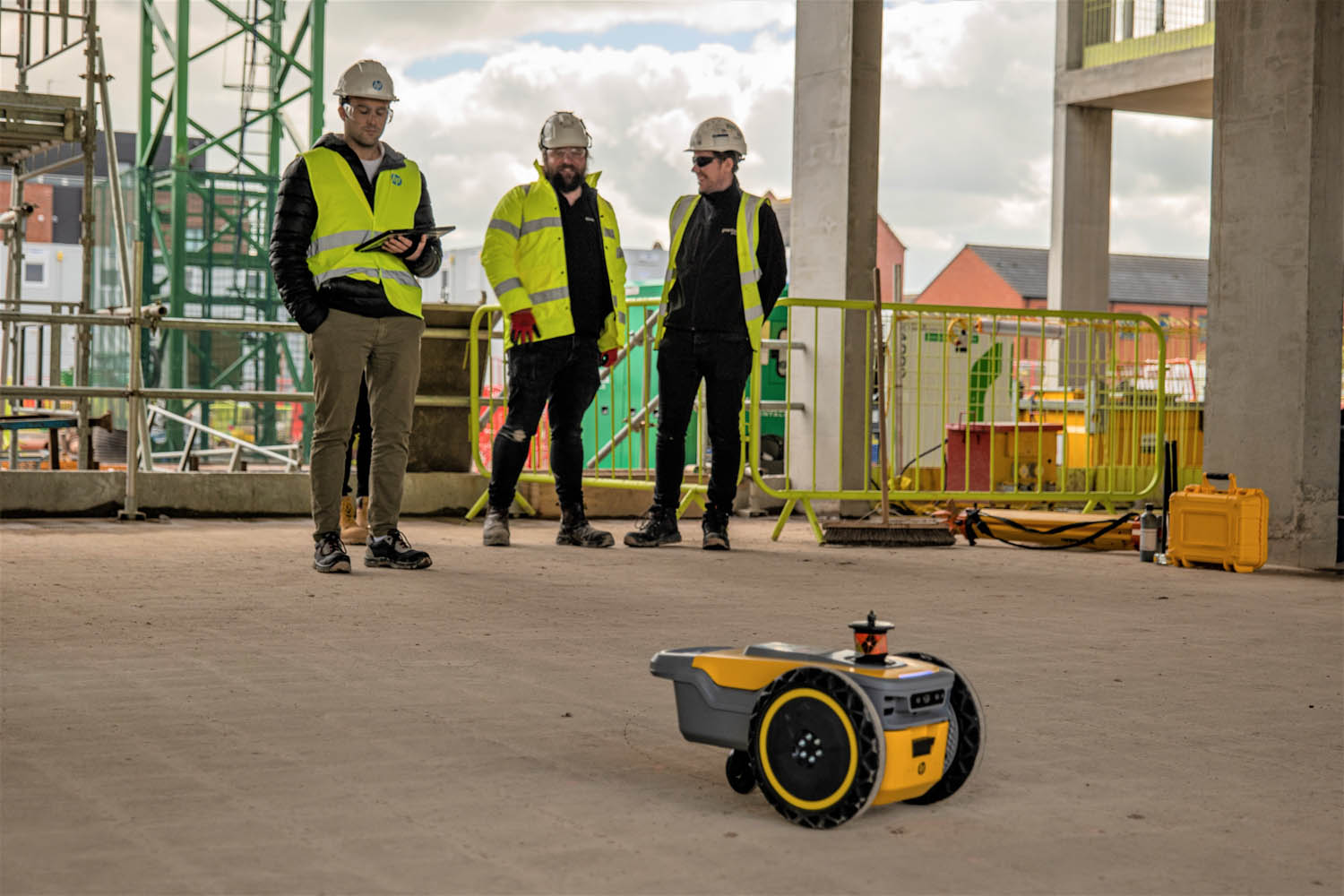
SitePrint replaces that manual process with a compact, autonomous three-wheeled robot that prints the layout directly onto a concrete slab using a CAD drawing. It’s up to ten times faster than manual methods, according to HP.
The robot connects to a total station, navigates around obstacles, and draws lines, points and labels in different colours according to the CAD file. It reads DXF and has plug-ins for Revit and AutoCAD.
Launched more than two years ago, SitePrint is already being used on a range of projects, predominantly those with large, uninterrupted spaces. Not surprisingly, there’s been a growing interest in using the robot in datacentres, where speed and accuracy is critical.
From digital intent to real-world insight
SitePrint’s original job was one‑way: take information from the digital world and paint it onto the physical world. The next step is to turn SitePrint into what HP describes as a more complete ‘digital citizen’ capable of capturing information from the site.
The first application is floor level deviation, which is particularly well suited to high‑value environments like industrial data centres and manufacturing or fulfilment facilities. On these projects, even small differences in slab height can have major implications for racking or automated equipment.
Traditionally, contractors would lay out positions then use a total station to measure heights, point by point, send that data back to the office to compare against CAD – and only then decide where to grind, fill or shim. It’s a slow, error‑prone process, and often means at least a day lost in back‑and‑forth.
HP’s approach effectively collapses this into a single, on‑site, near‑real‑time workflow. As the robot prints layout points, the total station simultaneously captures “highly accurate” height data for each point, showing the contractor where areas are high or low, the degree of deviation, and how this compares with specified tolerances.
In practical terms, this allows the same field crew performing the layout to see in real time — on a tablet or directly on the floor as the layout is printed — which locations require precise shimming, grinding, or filling, all without waiting for an office-based comparison.
Bringing it all together
Taken together, Build Workspace and SitePrint outline a clear strategy for HP: start where construction actually is, not where it might be in the future. Compared to other industries construction is often regarded as a digital laggard, and while advanced technologies can certainly be transformative, they tend to be concentrated in the hands of a small number of highly progressive firms.
By contrast, HP is deliberately targeting the messy middle of the market — the low- and volume-end customers who either haven’t yet adopted digital tools or operate in hybrid workflows, where large format drawings, partial digital processes, and crews relying on paper remain the norm.
Build Workspace recognises that drawings will remain central for the foreseeable future and works to make them live, actionable assets rather than static artefacts. QR codes linking physical sheets to their digital source may not be glamorous, but promises to address one of the most common sources of errors on site in a simple yet effective way.
Keeping the physical drawing connected to its digital author is, of course, key to maintaining a single source of truth. Exactly how HP plans to close the loop on redlined drawings remains unclear, and it will be interesting to see how the concept of the “connected multi-function printer” develops in practice — and whether it provides enough incentive to drive wider adoption of HP MFPs across construction sites.
SitePrint brings that same evolutionary, not revolutionary, approach directly to the construction site. It doesn’t ask contractors to rethink layout; it automates familiar outputs — lines and points on concrete — but does so from digital intent, while beginning to capture real-world data.
While more sophisticated technologies may define the long-term future of construction, HP is betting that the fastest way to improve productivity, reduce errors (and, indeed, grow its Construction software business) is by optimising the transitions between physical and digital — the points where workflows are most often broken. In short, HP’s goal is to ensure that the drawing on the table, the layout on the floor, and the data in the cloud are, quite literally, on the same page.