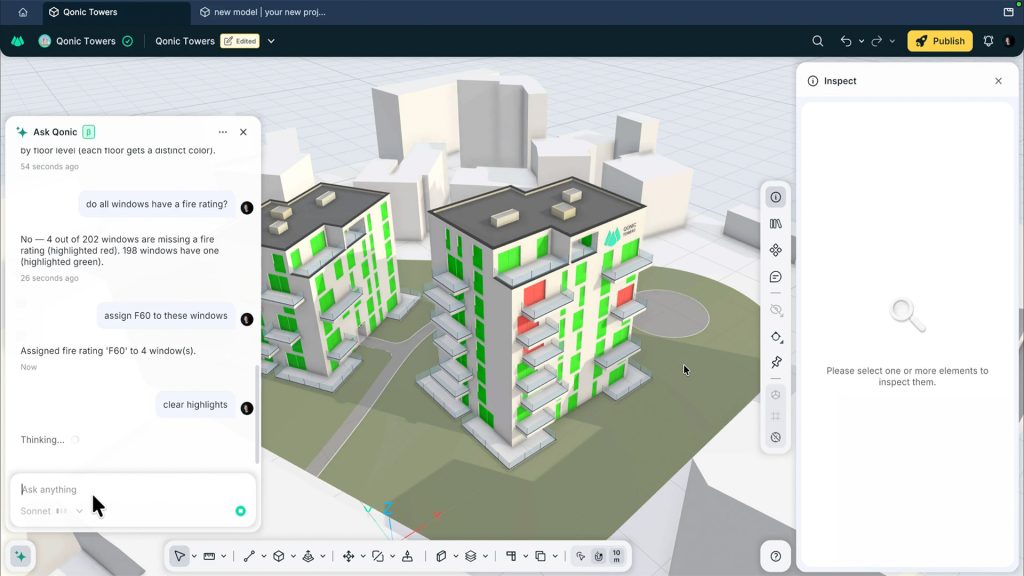

AI agents work directly inside the model, letting users find, check, fix and create BIM data using plain language
Qonic has introduced Qonic AI, a collection of agents built into its cloud-based, collaborative BIM modelling platform. Qonic AI works directly inside the BIM model, rather than sitting alongside it. Qonic has also launched an MCP server, which lets users connect their own AI assistant to the platform.
Inside Qonic, through the “Ask Qonic” chatbot, users describe what they want in plain language, and Qonic’s agents find, check and update elements using the platform’s own tools. Tasks include completing missing properties, building reports and editing geometry.
“Anything you can do in Qonic in terms of geometry and data creation, editing, and manipulation can be done through prompting,” said Qonic’s Jacob De Sutter.
Discover what’s new in technology for architecture, engineering and construction — read the latest edition of AEC Magazine
👉 Subscribe FREE here
The developers stress that users remain in control. Qonic AI can only change models the user is permitted to edit, and its changes can be undone in the same way as any manual operation.
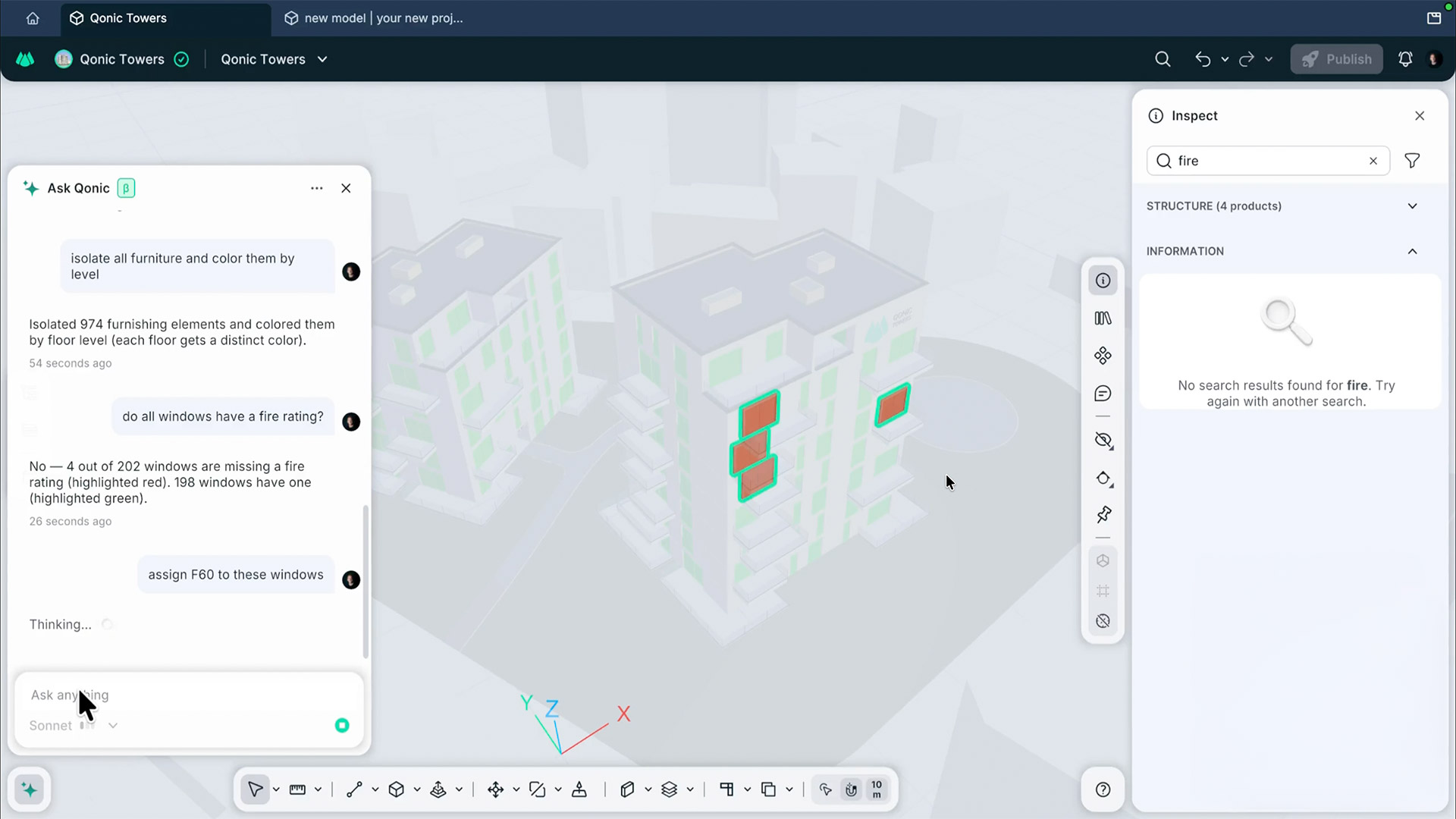
To mark the release, Qonic has demonstrated several ways the tool can be used. With “Find and show”, users can, for example, ask Qonic AI to isolate all furniture and colour it by level, and it will do both in a single step. For data checking, users can ask whether all windows have a fire rating, and Qonic AI will report which ones are missing it and select them automatically. From there, telling the tool to assign F60 to those windows prompts it to locate the right property and fill in the value.
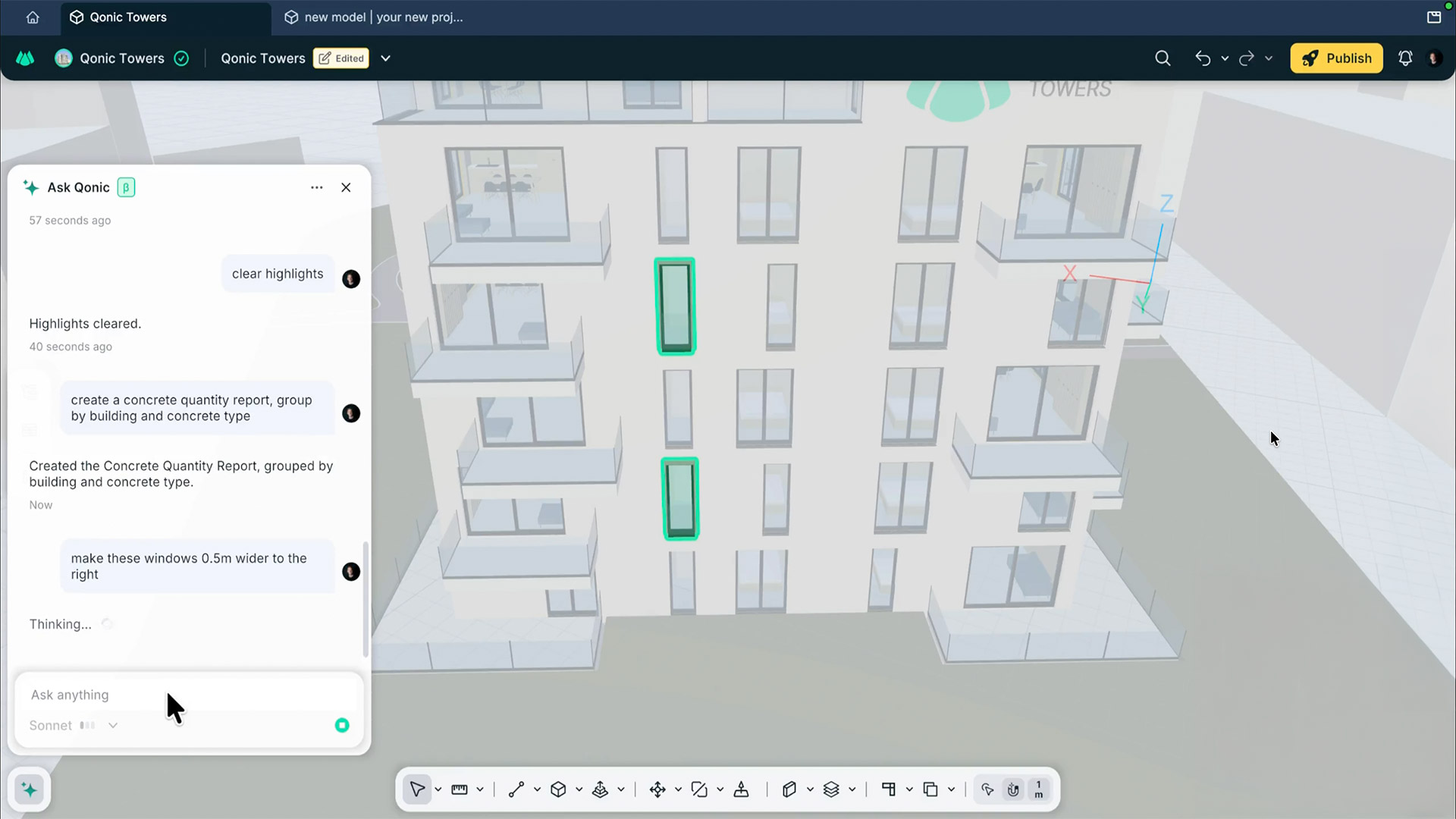
Qonic AI can also build reports: a request for a concrete quality report grouped by building and concrete type is set up automatically in the Report panel. Users can then adjust the grouping and filters by hand or simply ask again.


It can edit geometry too. Users can select windows and ask, for example, for them to be widened by 0.5 metres to the right. Qonic AI interprets the request based on the user’s viewpoint and selection, then uses the stretch tool to resize them. Users can also model a building or facade from prompts and reference images.
Users can choose which AI model powers their requests, selecting Sonnet, Opus or Astra depending on how much reasoning a task requires.
Qonic AI runs on tokens. Paid plans include a monthly token allowance. Users on the free plan can get started with a one-off token pack from €50. Purchased tokens never expire, and the balance can be checked at any time.
Qonic has also introduced an MCP server, allowing users to work with the BIM platform with their own AI assistant, such as Claude, Codex or Mistral Le Chat.
Through the Qonic MCP server, AI assistants can look up projects and models, query elements and calculate quantities, export to IFC, change elements and manage library items.