
Qonic’s latest updates push its browser-based BIM platform further into authoring, so users can start to build complete models from scratch, writes Martyn Day
Qonic’s latest updates add native components, streamed site context, rebuilt measurement tools, and a project-wide issues view. The company says this is the point at which a complete building can be modelled without leaving the browser. That is a bigger claim than the feature list initially suggests.
Closing the gap
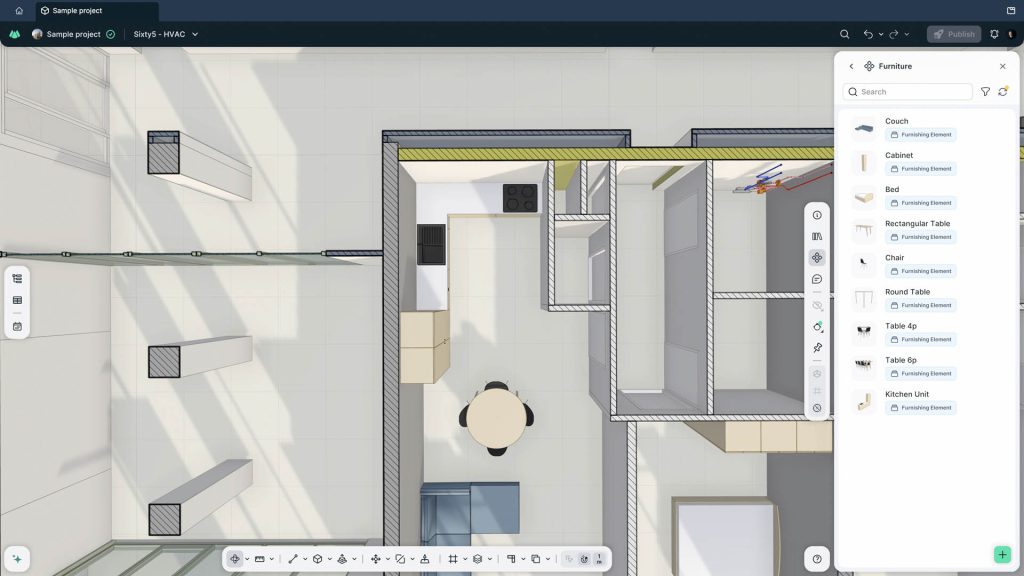
‘Components’ is the headline feature. It puts doors, windows, furniture, and MEP terminals into the modelling system. Walls and slabs were already there, but without components there was a limit to how much of a project anyone could develop before going back to Revit. Qonic says users no longer need external component libraries, and that the new elements behave as functional, reusable components carrying properties rather than lumps of geometry. They remain part of the structured model.
Components such as Windows are where that gets tested, as they are among the most relationally awkward objects in a building model, tied to sills, reveals, lintels, casings, and the thickness of the host wall. The usual answer has been a library of heavily constrained families built by specialists, and occasionally by people writing scripts. Qonic has gone the other way, using procedures that update the surrounding context when someone moves, copies, or resizes an opening.
Discover what’s new in technology for architecture, engineering and construction — read the latest edition of AEC Magazine
👉 Subscribe FREE here
Get that right at production scale and a category of specialist work disappears. Get it wrong and the component library becomes another thing to curate, and that is the exact burden Qonic’s platform was built to remove.
Qonic in the real world World
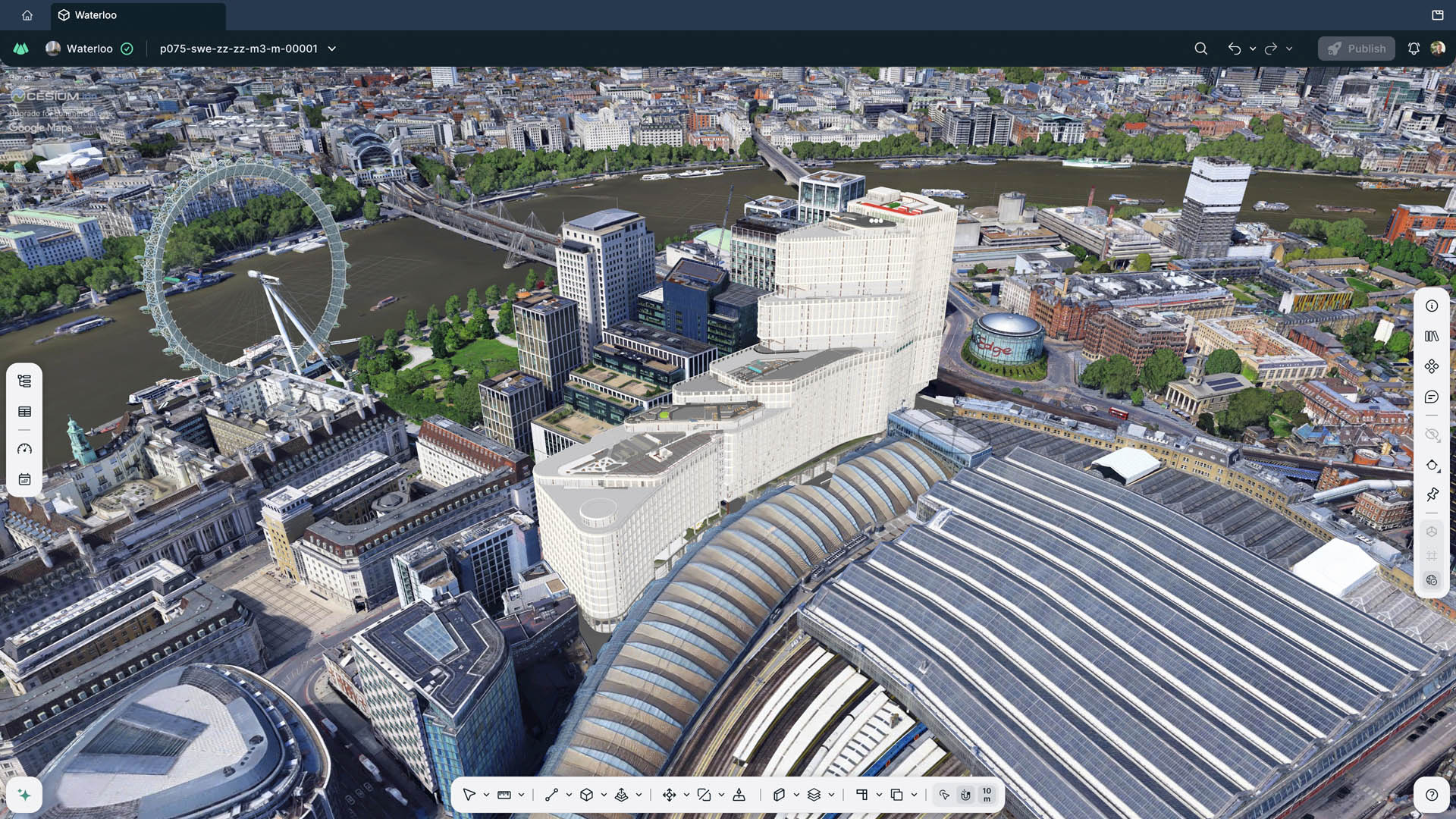
Context is another addition of substance. It streams 3D Tiles into the model view and drops the project at its correct geographic coordinates, so a proposal can be seen against the real terrain, neighbouring buildings, and infrastructure. Sightlines, access routes, and massing checks become an orbit of the model, not an exercise in assembling a separate context file by hand. Most of the newer platforms are heading this way, treating building and site as a single environment, and it is one of the few places where the browser holds a structural advantage over the desktop.
Measurement has been consolidated into a single tool. A measure-along option traces a path and returns XYZ coordinates, signed values, and running totals per axis. Point-to-point measurement picks up angles, so angle checks no longer need a separate command.
Production tools
The Inspect panel groups identical products, so repeated objects can be reviewed and edited together. Split and sliced geometry can be converted straight into an assembly, keeping the relationship between the resulting products intact. Copy and paste has moved into the right click menu and select-same works on an active selection. None of this makes a launch video, but it is the layer that decides whether software survives an eight-hour day.
‘Issues’ has gone from a model-level view to a project-level one. Users can see and filter everything raised across the project, including items sitting in models they do not have open. This is more useful to a coordination lead running a federated job than to someone drawing walls. The 4D planning tools get smaller changes in the same direction, with a toggle for unassigned products, editable planning delays, and task sorting and grouping.
‘Components’ is the headline feature. It puts doors, windows, furniture, and MEP terminals into the modelling system. Walls and slabs were already there, but without components there was a limit to how much of a project anyone could develop before going back to Revit
Revit and beyond
The feature worth watching, buried in interoperability, is Phasing, which now exports as a string parameter, which Qonic says opens the door to pushing edits to that parameter back into Revit. Materials also survive a Revit re-export and update. This ability to write-back is what separates a platform that can sit alongside Revit from one that only works downstream of it, and small gains there count for more than any individual modelling function. The rest of the release is repair work, covering subtractor creation, clash calculations for aggregate walls in product snapping, BCF uploads, unit comparison on import, and failure messages that report the underlying cause instead of a generic warning.
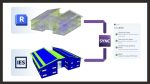
The release follows Qonic’s addition of Revit 2027 support in July. Set against Snaptrude, Arcol, and Forma, all working the same territory from different directions, Qonic remains the most explicitly construction-facing of them – and its UI looks beautiful. Qonic’s bet on procedures over constrained families is a real strategic difference.
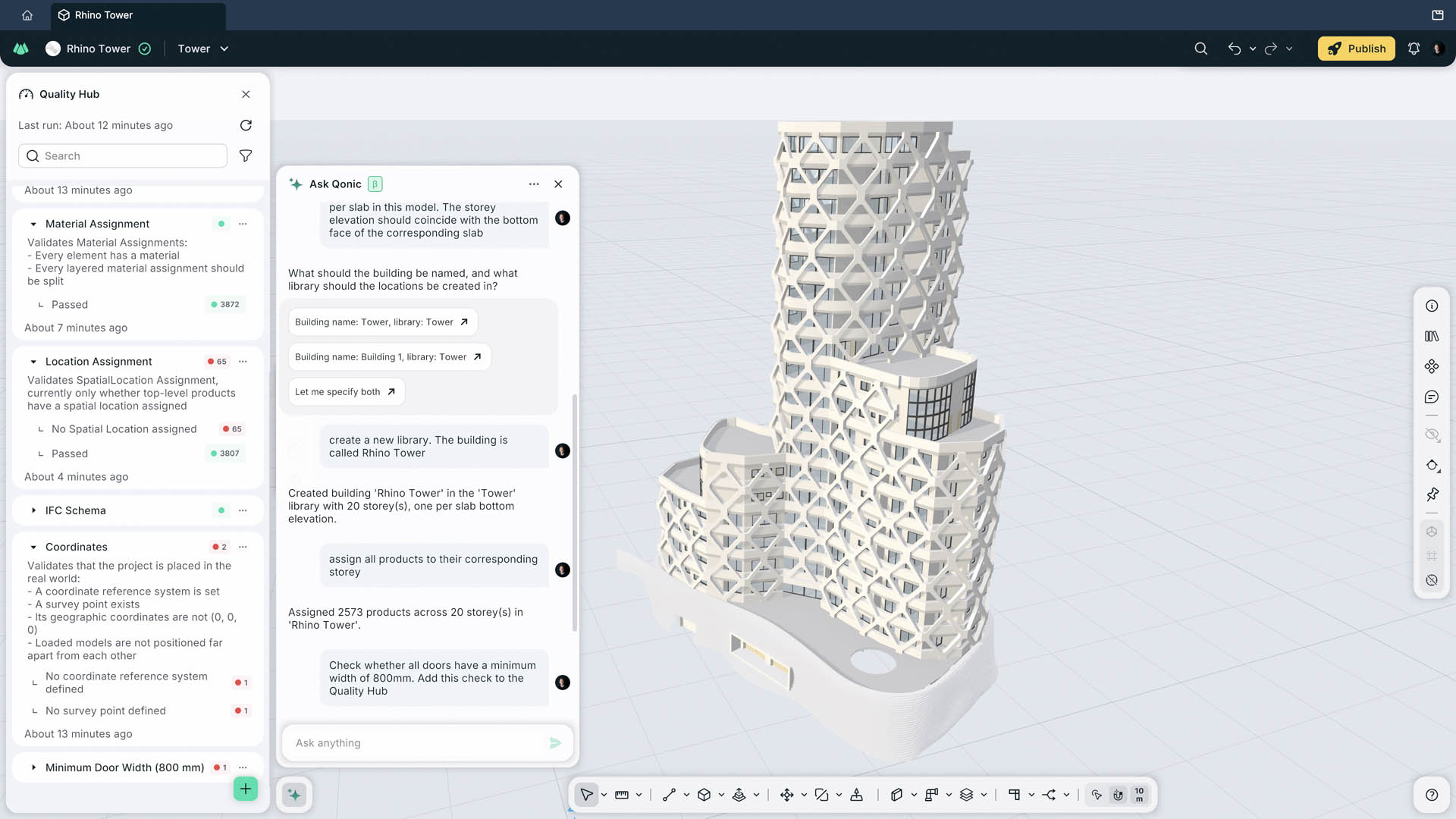
Drawings are absent from the release notes but not from the product. Qonic added browser-based floor plans, sections, automatic annotation, and DWG export in April, as seen at NXT BLD . Documentation exists. The question is whether it has the depth, control, and reliability that production delivery demands.
Components close an obvious hole in the modelling. Qonic’s documentation tools will settle the larger question of whether it replaces an authoring tool or sits beside one. The update video can be seen here
The future
Qonic is hosting an event at its Ghent HQ on 29 October, where more major features and a glimpse of its future direction are being promised.
In the meantime, the developer has just released its October update, which introduces smart snapping to relevant elements (rather than simply the nearest geometry) with an understanding of context, alongside a host of workflow improvements. It’s now possible to cut and paste between projects, create grids, measure the heights of selections, set project units, and manage model tags.
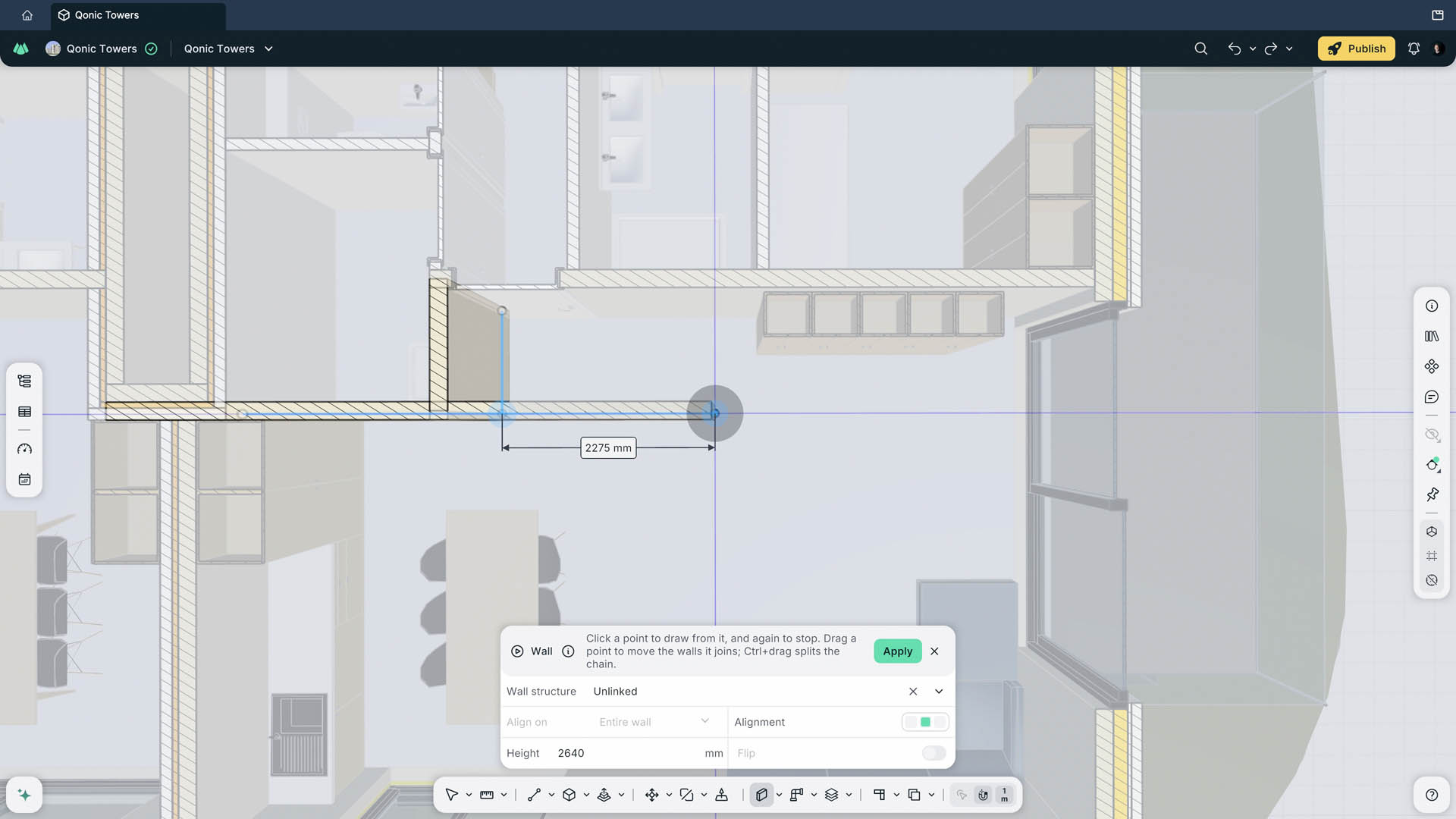
The biggest tease has been the demonstration of wall creation, as Qonic finally starts fleshing out more traditional BIM authoring tools. This suggests architectural design capabilities are imminent, having already become something of a darling of construction BIM. Roll on ‘Qonic-con’ at the end of the month.
Main image: Component library