
From compact ‘desktops’ to purpose-built blades, a new wave of dedicated 1:1 datacentre-ready workstations are redefining CAD, BIM, and visualisation workflows — combining the benefits of centralisation with the performance of a dedicated desktop, writes Greg Corke
For more than a decade, Virtual Desktop Infrastructure (VDI) and cloud workstations have promised flexible, centrally managed workstation resources for design and engineering teams that use CAD, BIM and other 3D software. But a parallel trend is now gathering serious momentum: the rise of the 1:1 remote workstation.
In a 1:1 model, each user gets remote access to a dedicated physical workstation with its own CPU, GPU, memory and storage. There is no resource sharing, no slicing of processors, and no contention with other users.
In many ways, it combines the performance predictability of a local desktop workstation with many of the management, security and centralised data benefits traditionally associated with VDI.
This article is part of AEC Magazine’s 2026 Workstation Special report
This shift is being driven by performance demands, changing IT priorities, and the growing maturity of remote access technologies. And it is appearing in several distinct forms. What is a 1:1 remote workstation?
Unlike VDI or public cloud environments like AWS or Microsoft Azure, where multiple users typically share CPUs and GPUs through virtualisation, a 1:1 remote workstation assigns an entire machine to a single user. That machine typically sits in racks in a dedicated server room or datacentre, either on-premise or hosted by a third-party service provider. However, it could also sit under a desk, or in the corner of an office.
The user accesses the workstation remotely using high-performance display protocols such as Mechdyne TGX, PCoIP (HP Anyware), NICE DCV (now Amazon DCV), Parsec or Citrix HDX. However, from a compute perspective, it behaves exactly like a local workstation.
How the trend is emerging
1) Compact desktop workstations in the datacentre
One of the most visible indicators of the 1:1 trend, especially for design and engineering teams that use CAD and BIM software, is the relocation of compact desktop workstations into the datacentre.
Machines such as the HP Z2 Mini and Lenovo ThinkStation P3 Ultra SFF are increasingly being mounted in racks rather than sitting on desks. Thanks to their small form factors, these systems offer impressive density. With the ThinkStation P3 Ultra SFF, for example, seven individual workstations can be housed in a 5U chassis.
Density matters for several reasons. Higher density reduces rack space requirements, lowers hosting costs, and improves energy efficiency per user.
Crucially, these are still true desktop workstations. Users get the same CPU frequencies, GPU options and application performance they would expect from a machine under their desk. Remote management and access capabilities are typically added via specialist add-in cards, enabling IT teams to control and maintain systems centrally.
Compact desktop workstations do have their limitations. While they can offer the highest-frequency CPUs — capable of boosting into Turbo for excellent performance in single-threaded CAD and BIM applications such as Solidworks and Autodesk Revit — they are typically restricted to low-profile GPUs or integrated graphics.
In the past, this confined them largely to traditional CAD and BIM workflows. However, the latest compact models are surprisingly capable, with models including the Nvidia RTX 4000 SFF Ada and Nvidia RTX Pro 4000 Blackwell SFF, having enough graphics horsepower and GPU memory to comfortably handle mainstream visualisation workflows in applications such as Enscape, Twinmotion, KeyShot and Solidworks Visualize.
While GPU sharing is rarely a major issue for day-to-day CAD and BIM work, it becomes critical for visualisation and rendering workflows, where the GPU may be driven at 100% utilisation for extended periods
For more demanding users, high-end desktop tower workstations with high core count CPUs, lots of memory, and one or more exceedingly powerful full height professional GPUs, can also be racked, extending the adapted desktop model to advanced visualisation, simulation and AI workflows. However, achievable density is massively reduced.
The major workstation players – Dell, HP and Lenovo – design most of their tower systems to be rack mountable, as does Boxx. However, that’s not the case for all systems, especially custom manufacturers that often use consumer gaming chassis.
2) Dedicated rack workstations – blades
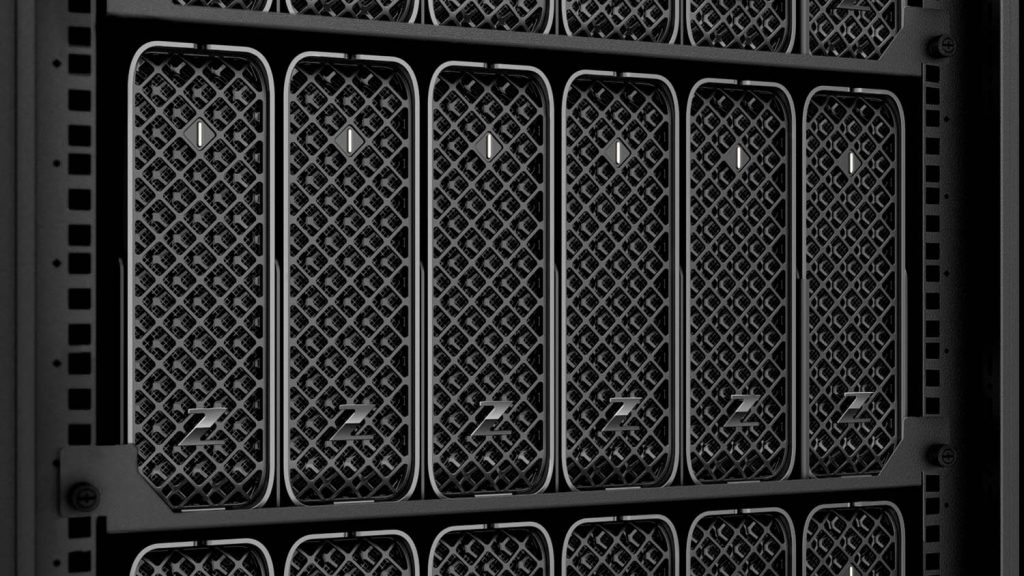
Another strand of the trend is the resurgence of the purpose-built workstation blade, a form factor first pioneered by HP in the early 2000s. Each blade is a slender, self-contained 1:1 workstation with its own CPU, GPU, memory, and storage, engineered specifically for deployment in the datacentre.
In 2025, new systems have arrived from Amulet Hotkey, while Computle has gone one step further, launching a workstation-as-a-service offering built around its own dedicated blade hardware. Established players such as Boxx and ClearCube also continue to offer blade-based workstation platforms.
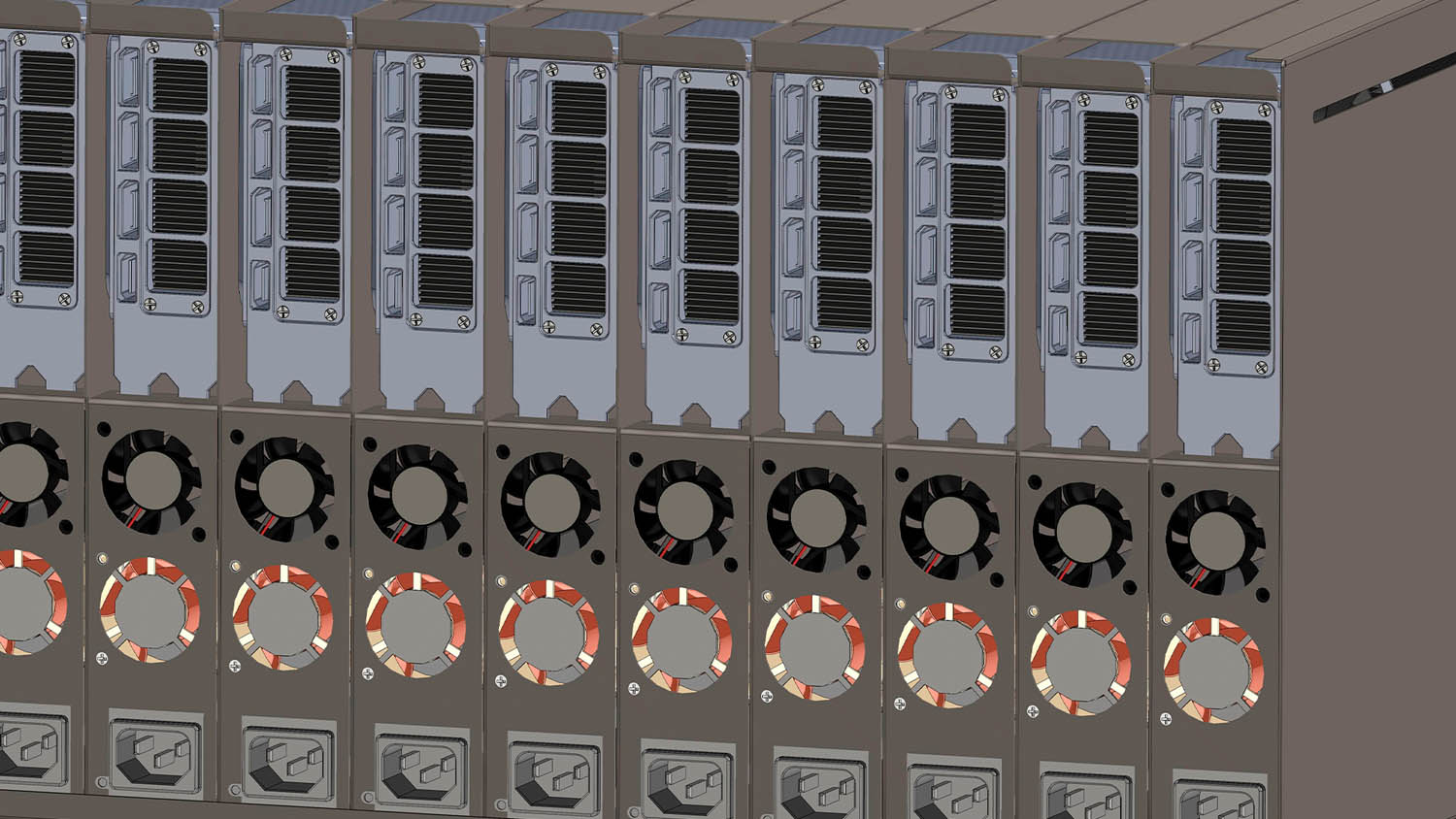
Blades provide a clean, highly modular approach to workstation deployment. The density is impressive with typically around 10 blades slotting into 5U or 6U chassis. Blades also integrate neatly into existing datacentre infrastructure, relying on centralised and redundant power, which simplifies cabling and makes them inherently well suited to remote-access scenarios.
From a performance perspective, blades are ideal for CAD and BIM workflows, commonly featuring high frequency CPUs and single slot pro GPUs. However, some blades can also support full height, dual slot GPUs, which can push graphics performance into the realms of high-end visualisation, beyond that of the compact desktop workstation.
For organisations standardising on remote-first workflows, blades represent a highly engineered interpretation of the 1:1 workstation concept.
3) Dedicated rack workstations – 1U and 2U “pizza boxes”
Sitting alongside blades are 1U, 2U, and 4U rack-mounted workstations, purpose-built, single-user workstations designed specifically for racks. The ultra-slim 1U systems are sometimes called “pizza boxes”.
Rack workstations appeal to organisations seeking maximum performance, full-size professional GPUs, and good integration with existing server infrastructure — without the need for a blade chassis. Like other 1:1 approaches, they deliver predictable, dedicated performance while avoiding the complexity of heavy virtualisation.
The downside of rack workstations is their low density—particularly for CAD and BIM workflows, where the most suitable graphics cards are often small, entry-level models, leaving much of the large internal space unused.
There’s a tonne of firms that offer dedicated rack workstations, including PC Specialists, Armari, Novatech, G2 Digital, Exxact, Titan, ACnodes, BOXX, Puget Systems, and Supermicro. HP and Dell also have rack systems but these are now several years old and, presumably, being phased out in favour of small form factor workstations.
Performance predictability
The strongest argument for 1:1 remote workstations is performance.
Each user gets dedicated CPU, GPU, memory and storage. There is no noisy neighbour effect, no unexpected slowdowns because another user happens to be rendering or running a simulation.
CPUs are typically Intel Core processors, which deliver very high clock frequencies and aggressive Turbo behaviour. This is especially important for CAD and BIM applications, which often rely on single-threaded or lightly threaded performance.
In contrast, VDI and cloud workstations rely on virtualised CPUs, where users receive a fraction of a processor. These virtualised environments often use server-class CPUs such as Intel Xeon or AMD Epyc, which prioritise core count over frequency. Even specialist CAD-focused VDI platforms based on AMD Ryzen Threadripper Pro involve CPU virtualisation and typically do not allow the processor to go into Turbo.
And frequency really matters for performance. Even simple tasks, such as opening a model or “syncing to central”, are significantly impacted by low CPU frequency. When working with huge models, this can create a major bottleneck, potentially taking hours of out of the working week.
On the GPU side, 1:1 systems avoid contention entirely. While GPU sharing is rarely a major issue for day-to-day CAD and BIM work, it becomes critical for visualisation and rendering workflows, where the GPU may be driven at 100% utilisation for extended periods. A dedicated GPU ensures consistent, predictable performance.
The strongest argument for 1:1 remote workstations is performance. Each user gets dedicated CPU, GPU, memory and storage. There is no noisy neighbour effect, no unexpected slowdowns because another user happens to be rendering or running a simulation
There’s also the matter of GPU memory to consider. A typical entry-level pro GPU for design viz, such as the Nvidia RTX 2000 Pro Blackwell, comes with 20 GB of memory. To get this amount in a VDI setup would be very expensive. And if you don’t have enough GPU memory to load or render a scene, performance can drop dramatically, or software can even crash.
On-premise or fully managed services
As with VDI, organisations can choose where and how their 1:1 workstations are hosted.
Some firms deploy systems on-premise, purchasing hardware from vendors such as HP, Lenovo, Amulet Hotkey, ClearCube and Boxx. Lenovo, in particular, is working to simplify deployment through its Lenovo Access Blueprints, which provide reference architectures and guidance.
Others opt for fully managed services, hosting dedicated workstations in third-party datacentres. Providers such as IMSCAD, Computle and Creative ITC deliver managed 1:1 workstation platforms, combining dedicated hardware with subscription-based services.
Interestingly, neither HP nor Lenovo has gone so far as to offer their own workstation-as-a-service platforms directly. Instead, they prefer to work through specialist partners, allowing customers to choose between ownership and service-based consumption models.
Flexibility – but with boundaries
VDI’s greatest strength has always been flexibility: the ability to resize virtual machines and dynamically allocate CPU, GPU and memory resources.
A 1:1 workstation is inherently more fixed. You cannot simply dial up more cores or memory on demand. However, organisations can still achieve flexibility by deploying a mixed portfolio of workstation configurations tailored to different user profiles.
Many firms are also adopting hybrid strategies, combining VDI for lighter or more variable workloads with 1:1 remote workstations for power users who demand guaranteed performance.
The middle ground
Not all solutions fit neatly into either camp. Service providers like Inevidesk occupy a middle ground: its vdesk solution virtualises a Threadripper Pro CPU shared among seven users, but each user receives a dedicated GPU.
This approach sacrifices some CPU predictability and frequency but ensures consistent GPU performance, making it attractive for demanding visualisation tools where GPU contention is the primary concern.
Inevidesk’s approach also offers good flexibility, with the option to quickly reallocate CPU and memory resources to different VMs or pool GPU resources at night for compute intensive workflows such as rendering or AI training.
Sustainability
Energy efficiency is often promoted as a key advantage of VDI, with vendors claiming it has a smaller carbon footprint than maintaining multiple 1:1 workstations. The logic is straightforward: instead of powering and cooling multiple processors, graphics cards, and power supplies, a single shared infrastructure can support many users.
If reducing energy consumption is a priority, it pays to examine the details. Some past carbon comparisons we’ve seen don’t hold up under closer scrutiny, based on maximum power draw rather than typical usage. However, a recent report commissioned by Inevidesk comparing its vdesk platform to a hosted 1:1 desktop workstation, takes a more measured approach and demonstrates tangible energy savings in practice.
That said, 1:1 workstation vendors are also taking energy consumption seriously. Amulet Hotkey, for example, offers lower energy laptop processors, HP has machines with the energy-efficient AMD Ryzen AI Max Pro processor with integrated graphics, and Computle is exploring ways to reduce energy use in its blade systems.
Cost
1:1 workstations can also offer cost savings, but there are several factors to consider. On the hardware side, multiple entry-level GPUs — such as the Nvidia RTX A1000 — are often less expensive than a single high-end datacentre GPU used for VDI, like the Nvidia L40, though this depends on how many virtual machines you intend to support. This principle extends to more powerful GPUs as well: some vendors, such as Computle, provide gaming-focused GeForce GPUs instead of the more costly, passively cooled datacentre variants. On the other hand, 1:1 workstations require more individual components, including multiple motherboards, power supplies, fans, and in the case of adapted desktops, aesthetically-pleasing chassis that never see the light of day.
The software stack for 1:1 workstations is also more simple. There is no need for virtualisation software, and GPU licensing is straightforward. For example, slicing a GPU for VDI requires an Nvidia RTX Virtual Workstation (vWS) software license, whereas standard free Nvidia RTX drivers are sufficient for a 1:1 workstation.
Conclusion
There are many compelling reasons why design and engineering firms may favour 1:1 workstations over VDI, with performance chief among them. Time and again, we’ve heard of VDI proof-of-concept projects that fail due to user pushback, particularly when performance falls short of what designers and engineers expect from a CAD workstation. In some organisations, this has become a hard line: firms such as HOK, for example, have stated they will not consider cloud workstations / virtualised server CPUs because of the performance penalties associated with single-threaded workflows.
By contrast, 1:1 remote workstations preserve the familiar performance characteristics of a physical desktop. As long as the remote access infrastructure is robust, the transition can be largely transparent to users — delivering high clock speeds, predictable GPU performance, and a consistent experience for demanding CAD, BIM and viz workloads.
That’s not to say VDI doesn’t have its place. Its strengths lie in flexibility, centralised management, and, in the case of public cloud offerings, global availability at scale. But for organisations where performance, user satisfaction, and workflow continuity are paramount, 1:1 remote workstations remain a highly compelling choice for those making the move from desktop to datacentre.
HP Z2 Mini G1i / G1a
Compact
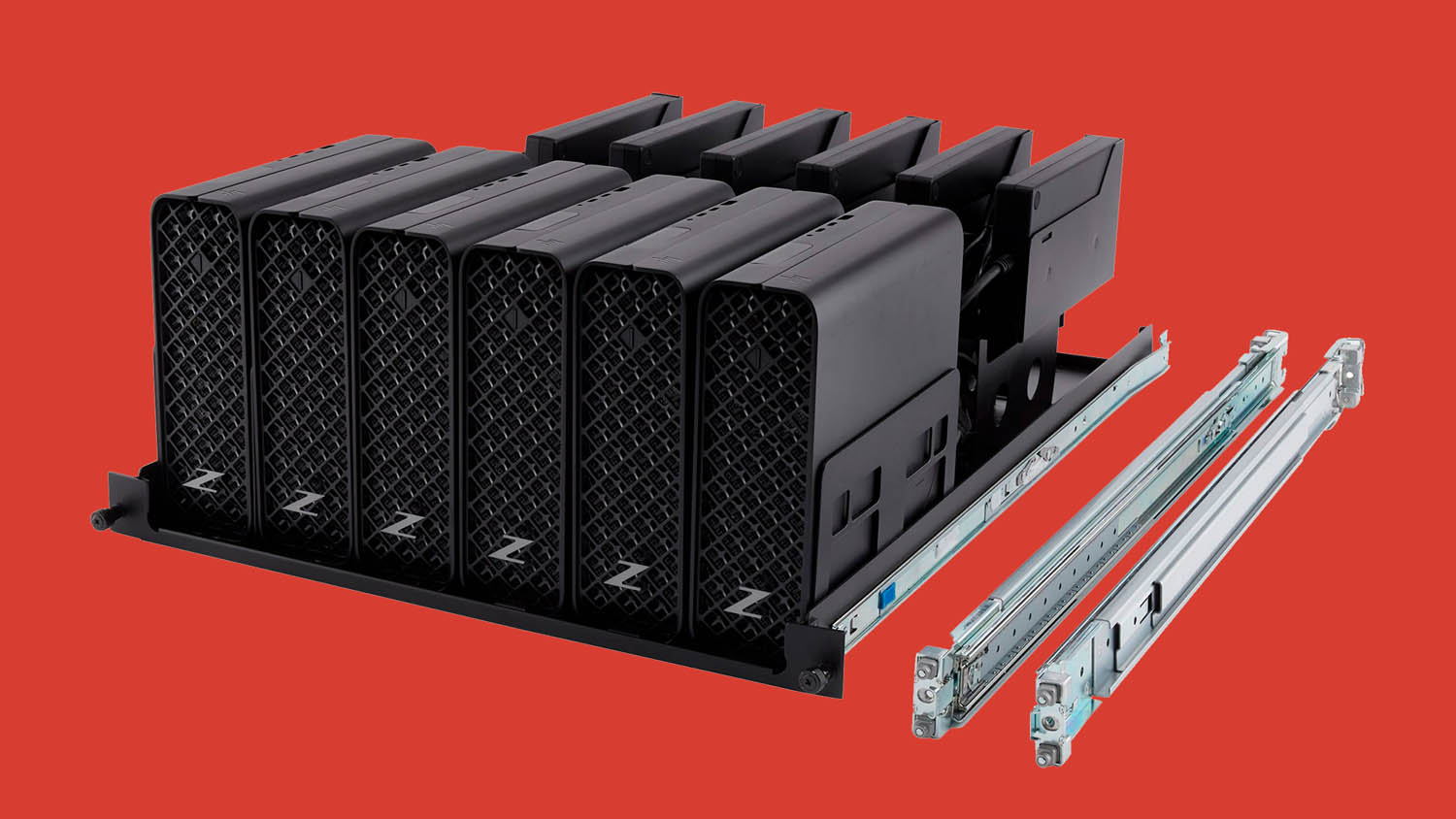
HP’s 1:1 remote workstation spotlight falls on the HP Z2 Mini, a tiny powerhouse that comes in two flavours.
The HP Z2 Mini G1i packs high frequency Intel Core Ultra CPUs with discrete Nvidia GPUs up to the powerful RTX 4000 SFF, while the HP Z2 Mini G1a runs on the AMD Ryzen AI Max Pro processor with integrated Radeon graphics (see review here). Thanks to its smaller processor package and integrated PSU, the G1a offers a slight advantage in terms of rack density, fitting five units in 4U, compared with six G1i units in 5U.
Lenovo ThinkStation P3 Ultra
Compact
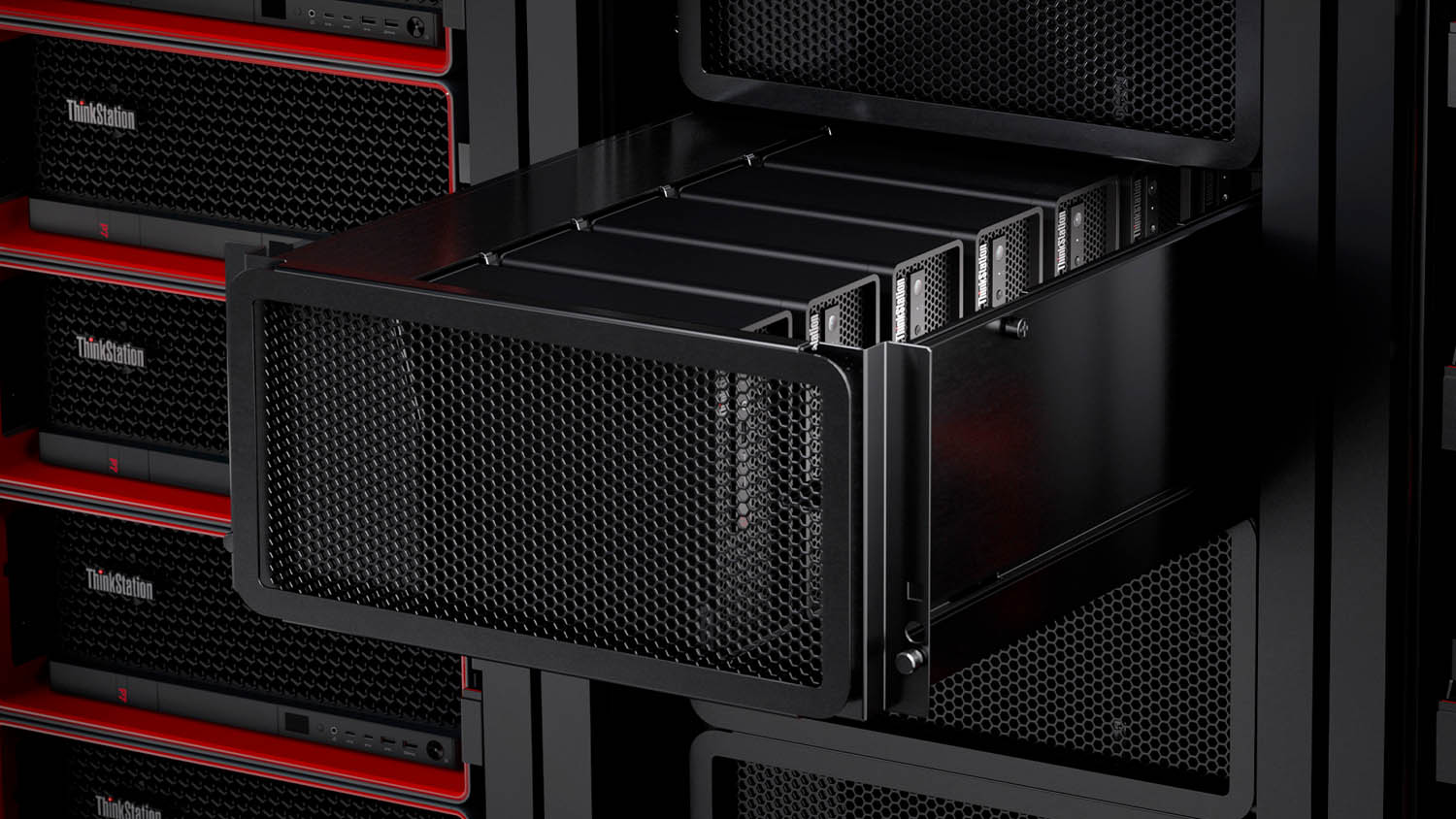
Lenovo’s 1:1 workstation offering centres on the ThinkStation P3 Ultra SFF, a compact system with a BMC card for ‘server-grade’ remote management (see review).
Configurable with Intel Core Ultra (Series 2) CPUs and Nvidia RTX GPUs up to the RTX 4000 SFF, it packs a punch for CAD and viz workflows while delivering good density with up to seven units in a 5U rack space. For even higher density, the ThinkStation P3 Tiny delivers twelve systems in 5U. However, the micro workstation is limited to CAD and BIM workflows, with a narrow range of GPUs up to the Nvidia RTX A1000.
Dell Pro Max Micro
Compact
Compared with HP and Lenovo, Dell is much less vocal about its 1:1 remote workstation offering, which centres on the Dell Pro Max Micro desktop, which packs seven units into a 5U rack.
Unlike the HP Z2 Mini G1i and Lenovo ThinkStation P3 Ultra SFF, which can be configured with 125W Intel Core Ultra 9 285K CPUs, the Dell Pro Max Micro is limited to the 65W Intel Core Ultra 9 285. However, this is unlikely to impact performance in single-threaded CAD and BIM workflows. GPU options include the Nvidia RTX A1000 for CAD and the RTX 4000 SFF Ada for visualisation workloads.
Amulet Hotkey CoreStation HX
Blade
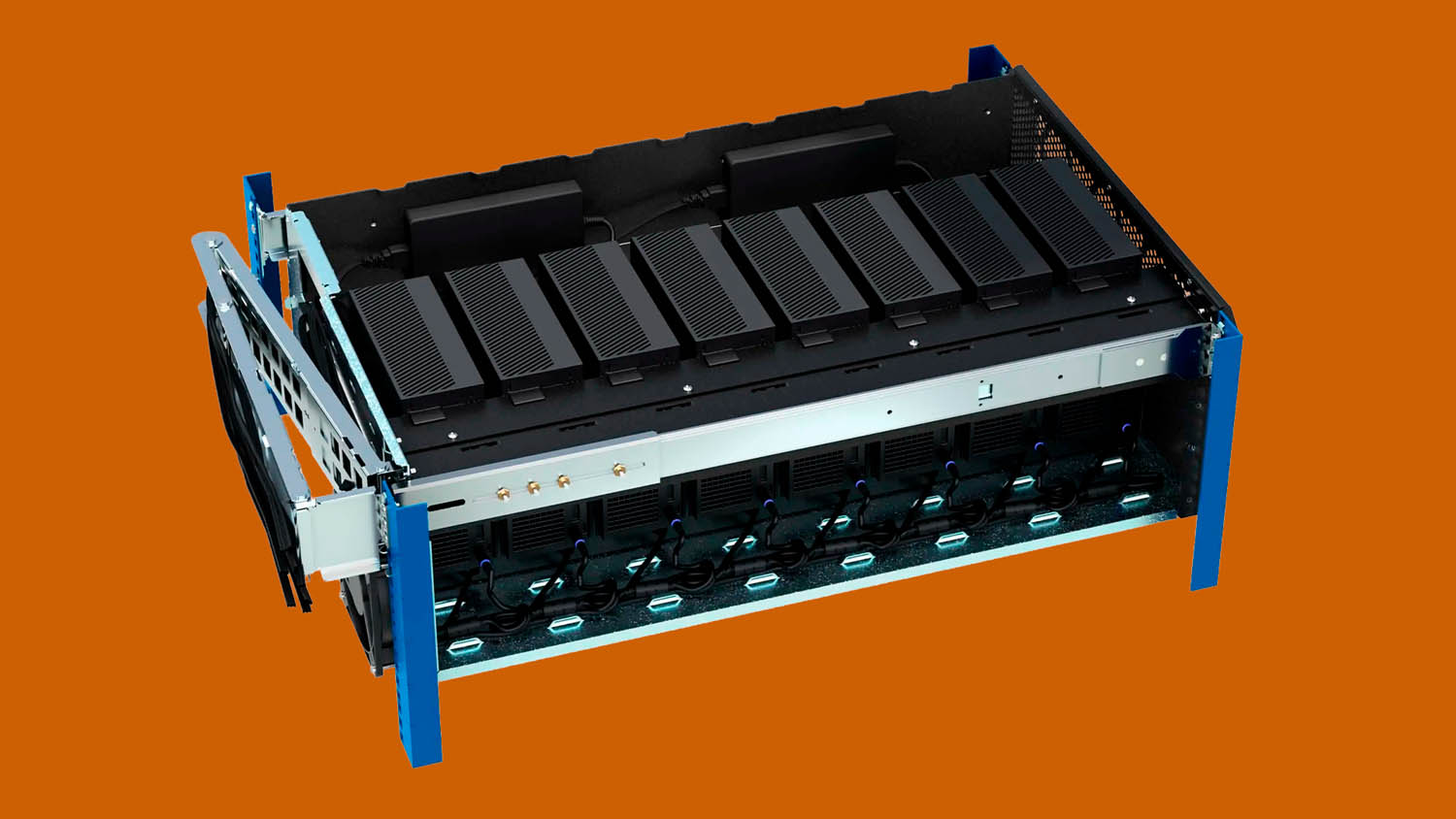
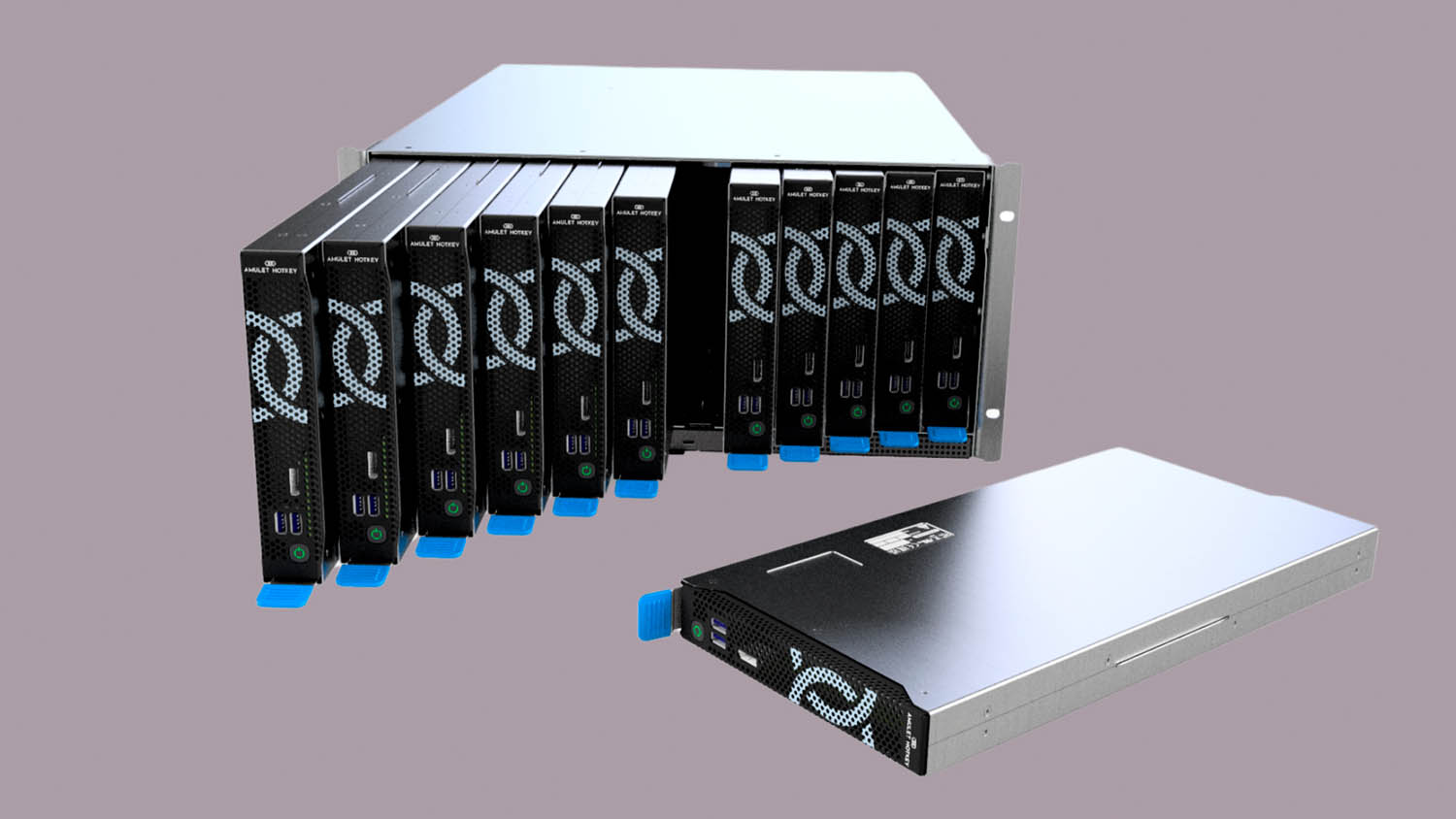
Amulet Hotkey’s CoreStation HX is built for the datacentre combining redundant power and cooling with ‘full remote system management’ via a 5U enclosure that can accommodate up to 12 workstation nodes.
The CoreStation HX2000 is built around laptop processors, up to the Intel Core Ultra 9 285H and MXM GPUs up to the CAD-focused Nvidia RTX 2000 Ada.
For more demanding workflows, the upcoming CoreStation HX3000 will feature desktop processors up to the Intel Core Ultra 9 285K, paired with low-profile Nvidia RTX and Intel Arc Pro GPUs.
Computle
Blade
Computle is a workstation-as-a-service offering powered by its own 1:1 custom blade workstations, which are purpose-built for the datacentre.
Customers can choose from four standard configurations centred on the Intel Core i7- 14700, with GPU options up to the Nvidia ‘Blackwell’ RTX 5090. For more flexibility, components can be mixed and matched, including the Intel Core i9-14900, AMD Ryzen 9 9950X, or Threadripper Pro processors. Professional GPU options include the CAD-focused Nvidia RTX A2000 and high-end RTX Pro 6000 Blackwell (96 GB).
ClearCube CAD Pro
Blade/Rack
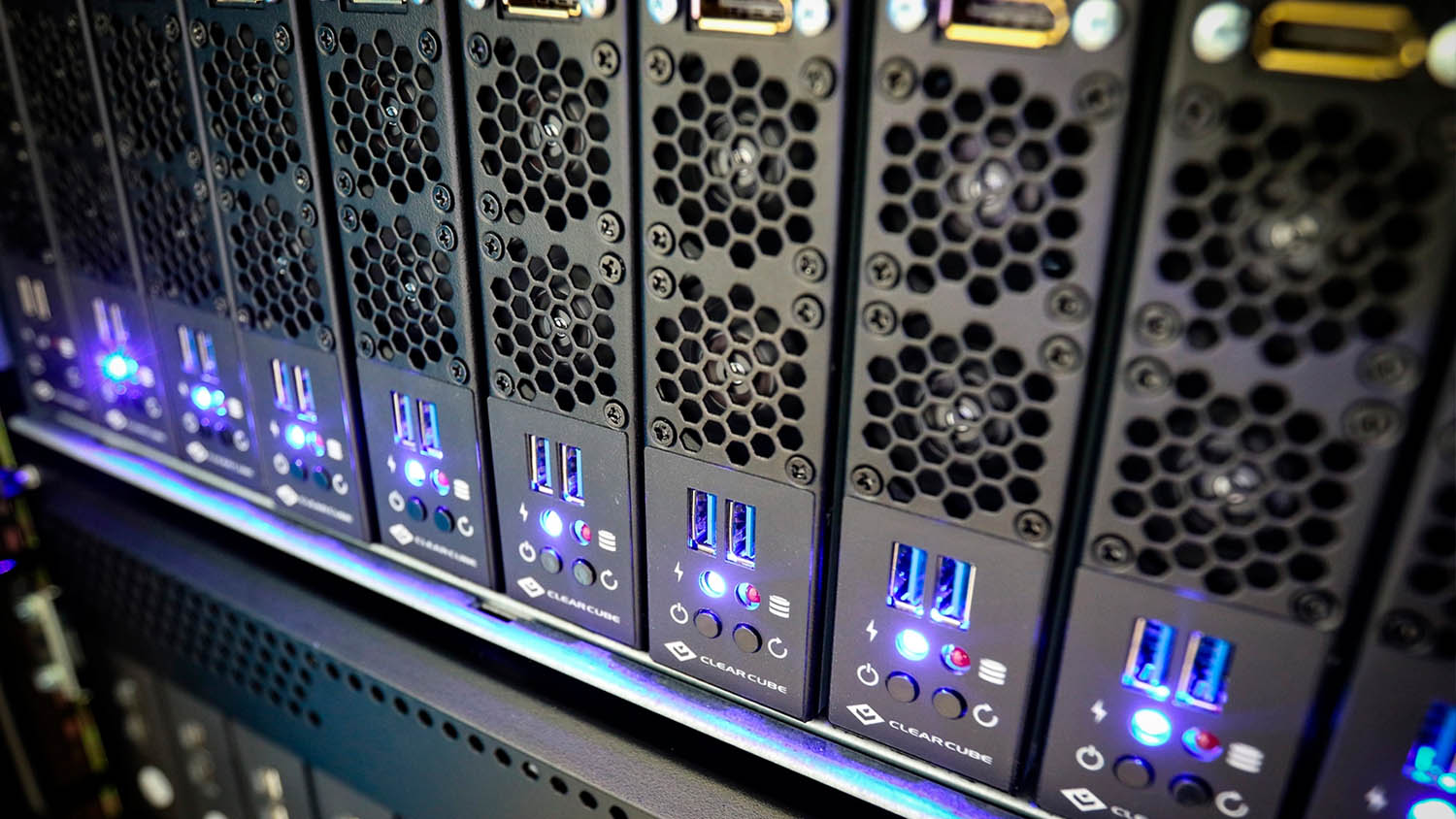
ClearCube stands out for its extremely broad portfolio of 1:1 workstations that are purpose built for the datacentre.
At the heart of its range is the CAD Pro, a rack-dense system that fits ten blades in a 6U chassis. The CAD Pro can be configured with a choice of Intel Core CPUs and single-slot Nvidia GPUs, up to the viz-capable RTX Pro 4000 Blackwell, which is more powerful than the SFF variant found in compact 1:1 desktops. For higher end workloads, the CAD Elite line offers dedicated 1U and 2U rack workstations with GPUs up to the RTX Pro 6000 Blackwell Max-Q.
Boxx Flexx
Blade
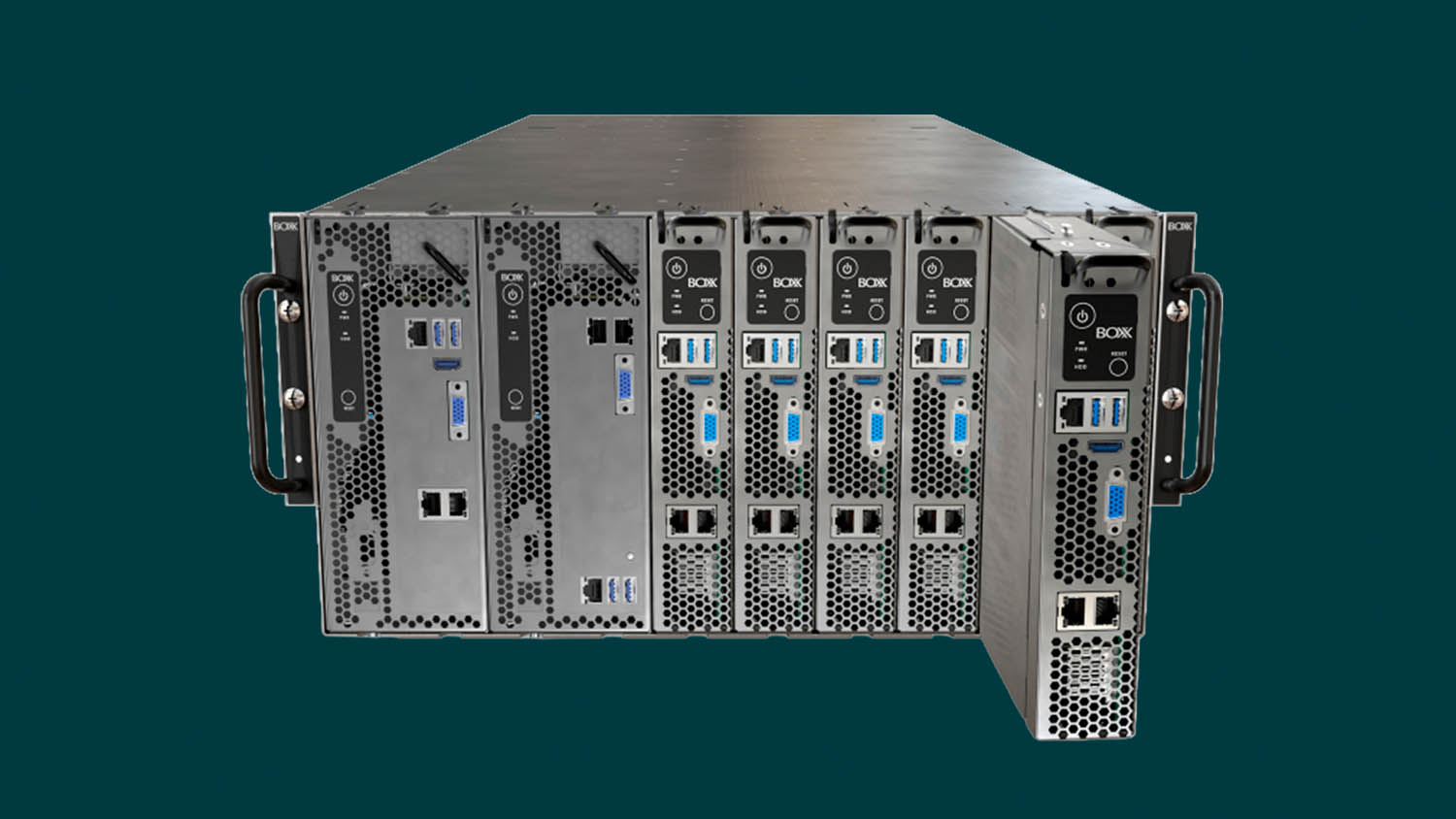
Boxx Flexx is a datacentre– ready 1:1 workstation system, that can support up to ten 1G modules or five 2G modules (or all configurations in between) in a standard 5U rack enclosure.
Boxx Flexx offers an enviable combination of density and performance, with the 1G modules offering liquid-cooled Intel Core Ultra (Series 2) CPUs and one double-width Nvidia GPU, while the 2G modules support two double-width GPUs.
Boxx also offers BoxxCloud, a workstation-as-a-service solution where Flexx workstations are hosted in regional datacentres.
Inevidesk
VDI with a twist
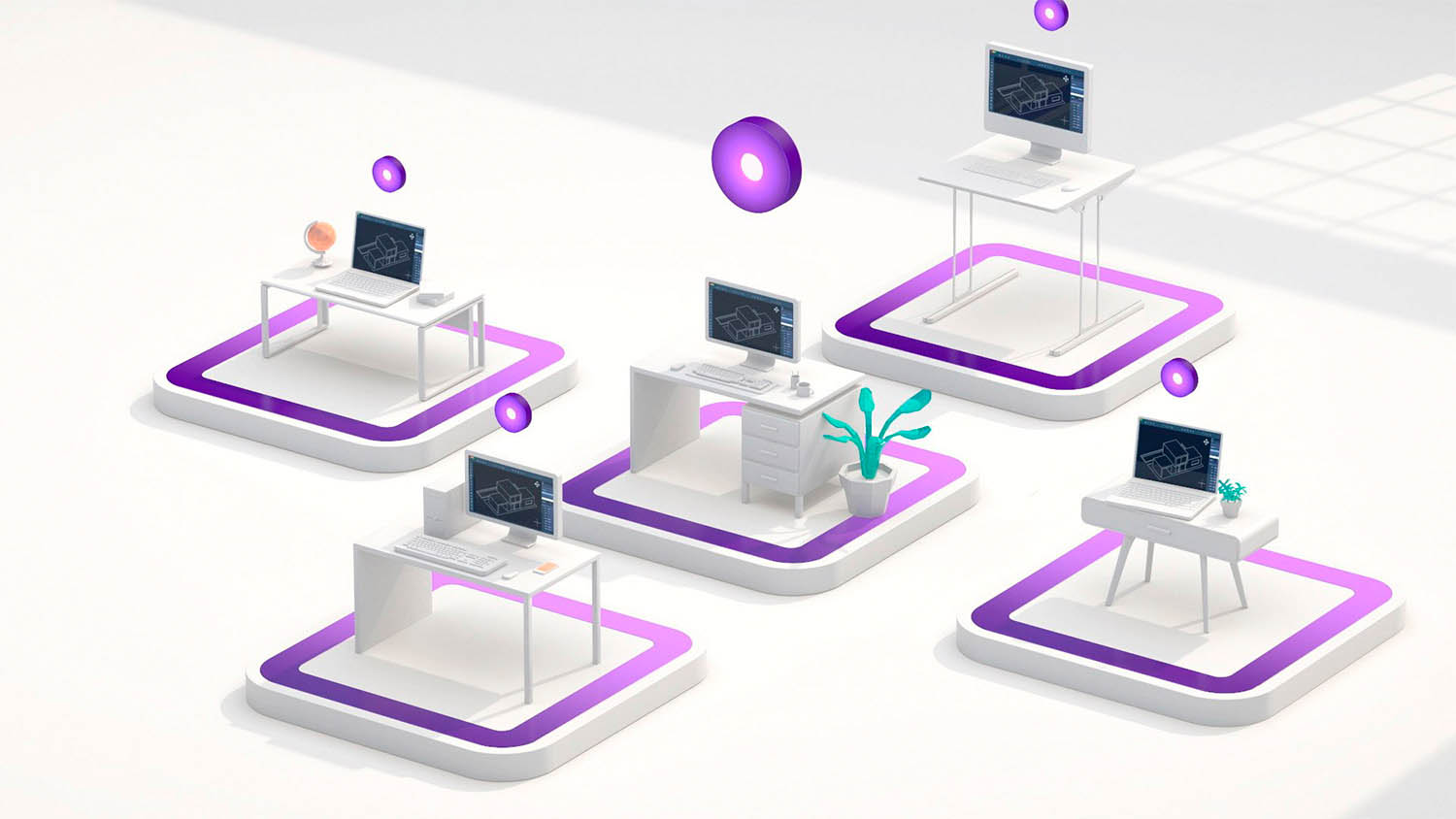
Inevidesk offers a VDI solution that has some characteristics of a 1:1 remote workstation. Each rack-mounted server or ‘pod’ can host up to seven GPUaccelerated virtual desktops called vdesks.
The Threadripper Pro CPU and memory is virtualised, but each vdesk gets a dedicated GPU, such as the Nvidia RTX 4000 Ada, for predictable graphics performance. Virtual processors and memory can be adjusted, while multiple GPUs can be assigned to a single vdesk to boost performance in GPU rendering or AI workflows.
This article is part of AEC Magazine’s 2026 Workstation Special report
Features
- The rise of the 1:1 remote workstation
- Memory – shortages and rising prices: how to navigate the current crisis
- Computle: rethinking remote workstations
- Lenovo Access: simplifying remote workstations
- Creative ITC – a hybrid future
- How does your workstation setup compare? Results from our 2025 survey.
- Best enterprise-class workstation laptops 2026
- Can a small workstation really handle big BIM, CAD and viz?
- Why GPU memory matters for CAD, viz and AI
Reviews
- HP Z2 Mini G1a workstation
- Lenovo ThinkStation P3 Ultra SFF Gen 2 workstation
- CyberPowerPC Intel Core U7WS Workstation
- AMD Ryzen Threadripper 9000 Series processors
- Scan 3XS GWP-B1-TR192 workstation
- Nvidia RTX Pro Blackwell Series GPUs
- Intel Arc Pro B50 GPU