Intel Arc Pro B50

Review: Intel Arc Pro B50

18 0

With 16 GB of onboard memory — double that of comparable discrete GPUs — this entry-level professional graphics card makes a strong first impression, but lingering software compatibility issues temper its appeal, writes Greg Corke


Intel’s move into discrete professional graphics has been a slow burner. After launching the Alchemist-based Intel Arc Pro A40 (6 GB) and A50 (6 GB) graphics cards in 2022 (read our review), it’s taken the company three years to deliver its second generation.

That next step arrived last summer with the Arc Pro B50 (16 GB) and Arc Pro B60 (24 GB), both built on Intel’s Xe2 ‘Battlemage’ architecture. While the new cards bring an expected uplift in performance and a move from PCIe 4.0 to PCIe 5.0, what makes them really stand out is the amount of on-board memory.

With 16 GB and 24 GB respectively the B50 and B60 go beyond the realms of CAD – the natural stomping ground of the Arc Pro A40 and A50 – and firmly enter design viz and AI territory.


This article is part of AEC Magazine’s 2026 Workstation Special report
➡️ Subscribe here


The Arc Pro B50, which is the focus of this review, makes a particularly big impression, sporting double the amount of memory as its Nvidia counterpart, the RTX A1000 (8 GB). Available for around £300 + VAT, the B50 holds a slight pricing advantage, although with a little shopping around the RTX A1000 can be found at a similar cost.

The Arc Pro B50 also faces competition from AMD — but not from where you might expect. Rather than a discrete GPU, it comes in the form of the AMD Ryzen AI Max+ Pro processor, whose integrated Radeon GPU delivers strong performance and, crucially, direct, high-bandwidth access to up to 96 GB of system memory. In that context, the B50’s 16 GB of onboard memory begins to look modest by comparison.

Built for small workstations

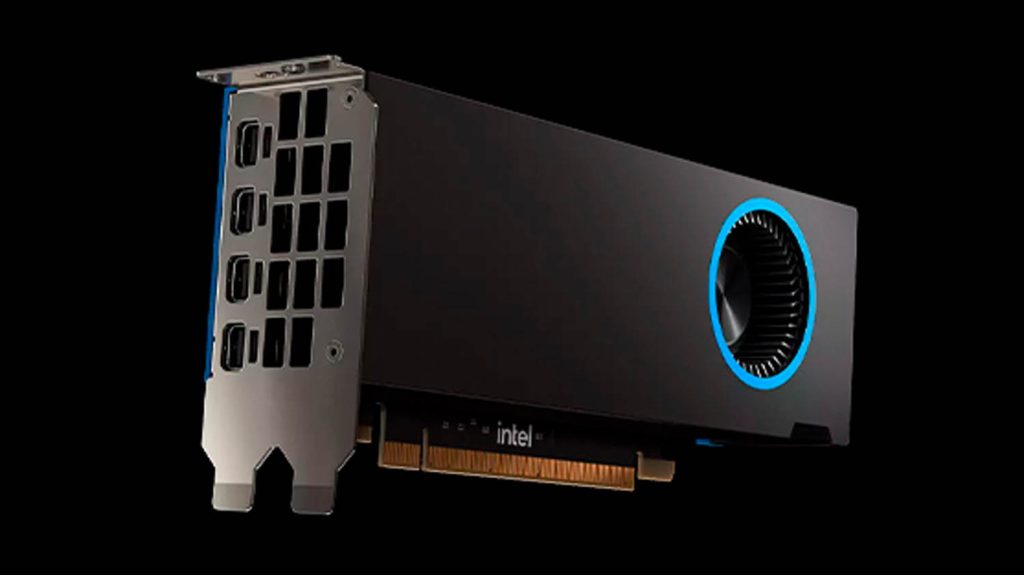
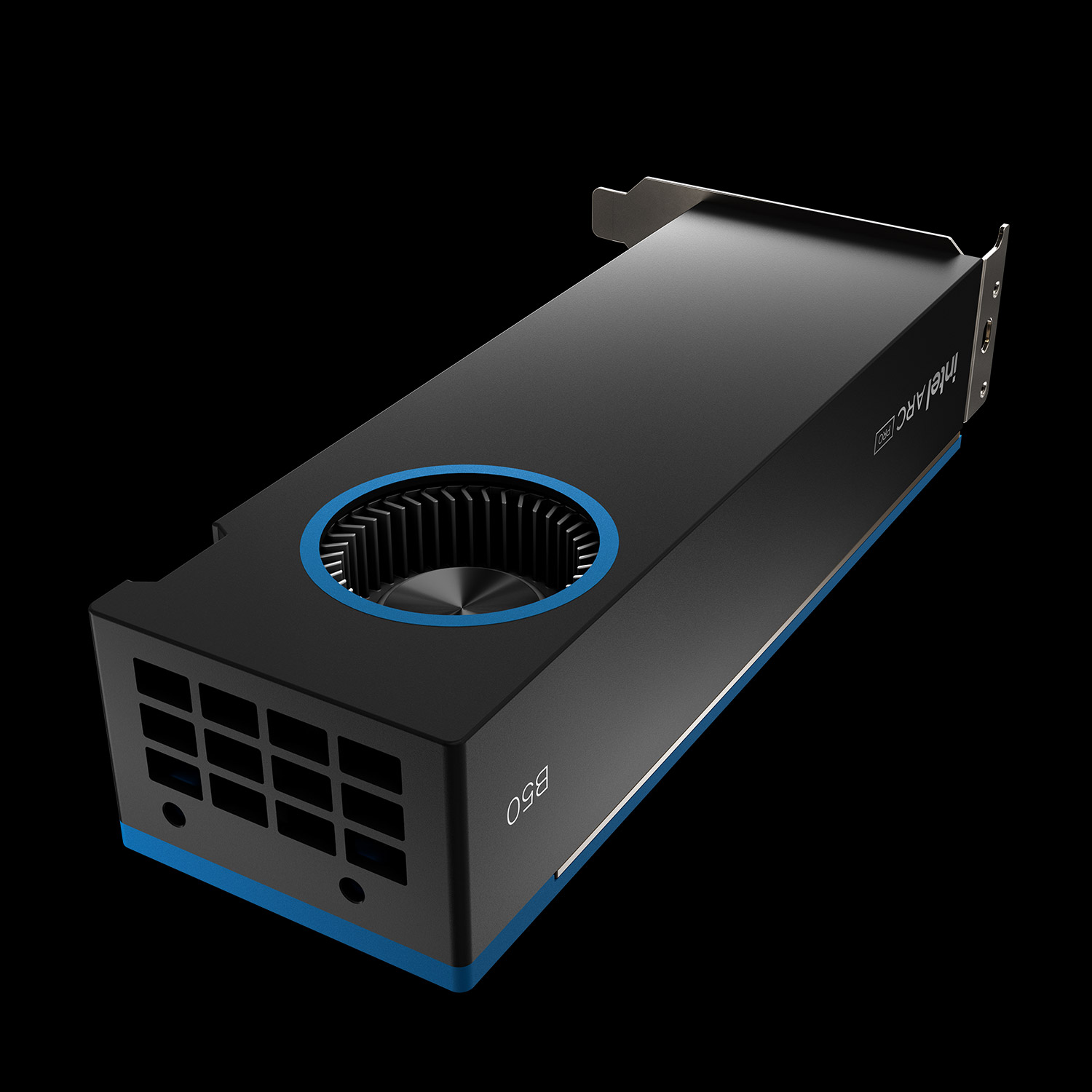
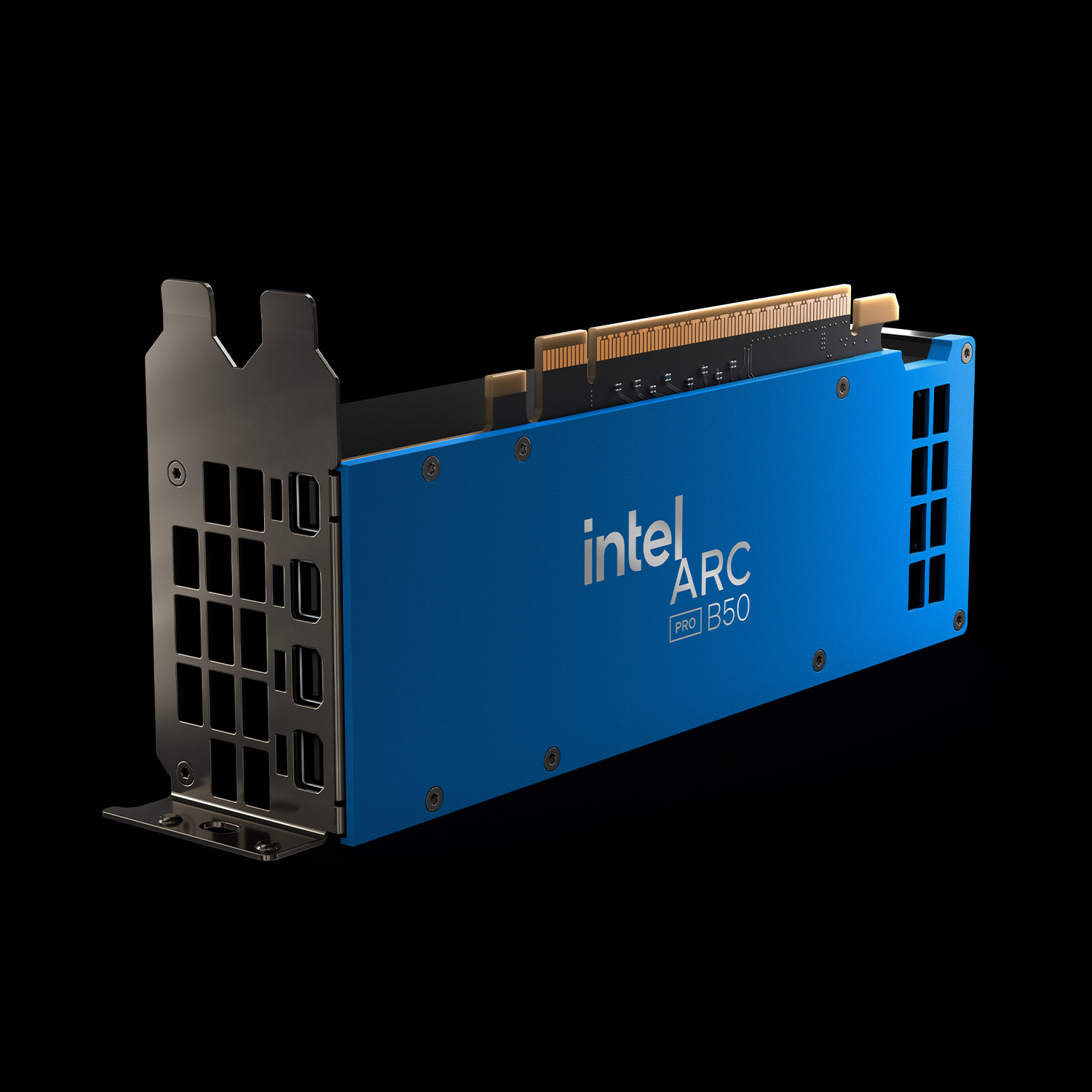
The Arc Pro B50 is a low-profile, dual-slot graphics card with a total board power of 70W, so draws all of its power from the:PCIe slot. This makes it compatible with small form factor (SFF) and micro workstations such as the HP Z2 Mini, Lenovo ThinkStation P3 Ultra SFF and Dell Pro Max Micro, although at time of writing none of these major workstation OEMs offered the card as a stock option.

Advertisement
Advertisement

But the B50 is not limited to super compact workstations. It also comes with a full height I/O bracket, so can be fitted to standard towers as well. Connectivity is handled via four Mini DisplayPort outputs, enabling support for multiple high-resolution displays.

The memory advantage

The strengths of the Arc Pro B50 are most evident in workflows that demand large amounts of GPU memory, such as visualisation and AI. In design viz software Twinmotion, for instance, our Snowdon Tower Sample Project scene consumes 18 GB or more when producing multiple final 4K renders.

On test, this meant the Arc Pro B50 was able to outperform the Nvidia RTX A1000 by 62% in raster rendering and 56% in path-traced rendering. This is because the A1000 is forced to offload large amounts of data to system memory — a far slower process — giving the B50 a clear advantage in memory-hungry workloads.

Amazingly, AMD’s Ryzen AI Max+ Pro 395 trumps this. In our testing with the HP Z2 Mini G1a (see our review here), it comfortably outpaced the B50 by keeping the entire 18 GB dataset resident in memory during raster rendering, eliminating the need for any swapping altogether. When path tracing in Twinmotion, however, the AMD GPU caused the software to crash.


Elsewhere, the Arc Pro B50 potentially offers significant benefits for AI image generators like Stable Diffusion. As we found with the Nvidia RTX A1000 performance can fall off a cliff when GPU memory gets maxed out (learn more here).

While direct comparisons between the Nvidia RTX A1000 and Arc Pro B50 aren’t possible, as running Stable Diffusion on Intel requires an entirely different software stack, it stands to reason that having double the amount of memory could deliver a significant performance boost.

But the benefits of the Arc Pro B50 go beyond memory. The GPU also shows an advantage over the RTX A1000 in workflows where memory isn’t a limiting factor. In the D5 Render 2.9 benchmark, for example, the scene uses less than 8 GB of GPU memory — well within the capacity of both the B50 and A1000 — yet the Intel GPU still outpaced the Nvidia card by around 20 to 23%. Meanwhile the AMD Ryzen AI Max+ Pro 395 was around 6% faster than the B50.


Intel Arc Pro B50
6 GB of memory gives the Arc Pro B50 an advantage in viz tools like Twinmotion

Software hurdles

The Arc Pro B50 is not without its challenges. In a market dominated by Nvidia, Intel faces many of the same hurdles that AMD has encountered around professional graphics software compatibility. While AMD has made significant strides in recent times — with several major visualisation tools, including V-Ray, KeyShot, and Solidworks Visualize, now well on the way to fully supporting AMD GPUs — Intel has yet to build comparable momentum.

Even in applications where one would expect broad compatibility, we encountered issues. With arch viz software Lumion for example, the 2024 release would not even launch while in the 2025 version, some scenes did not render correctly. Meanwhile, in Solidworks CAD, we experienced 3D performance issues when viewing models in the popular “shaded with edges” display mode. While viewport performance was acceptable for smaller assemblies, it soon became a problem as model complexity increased.

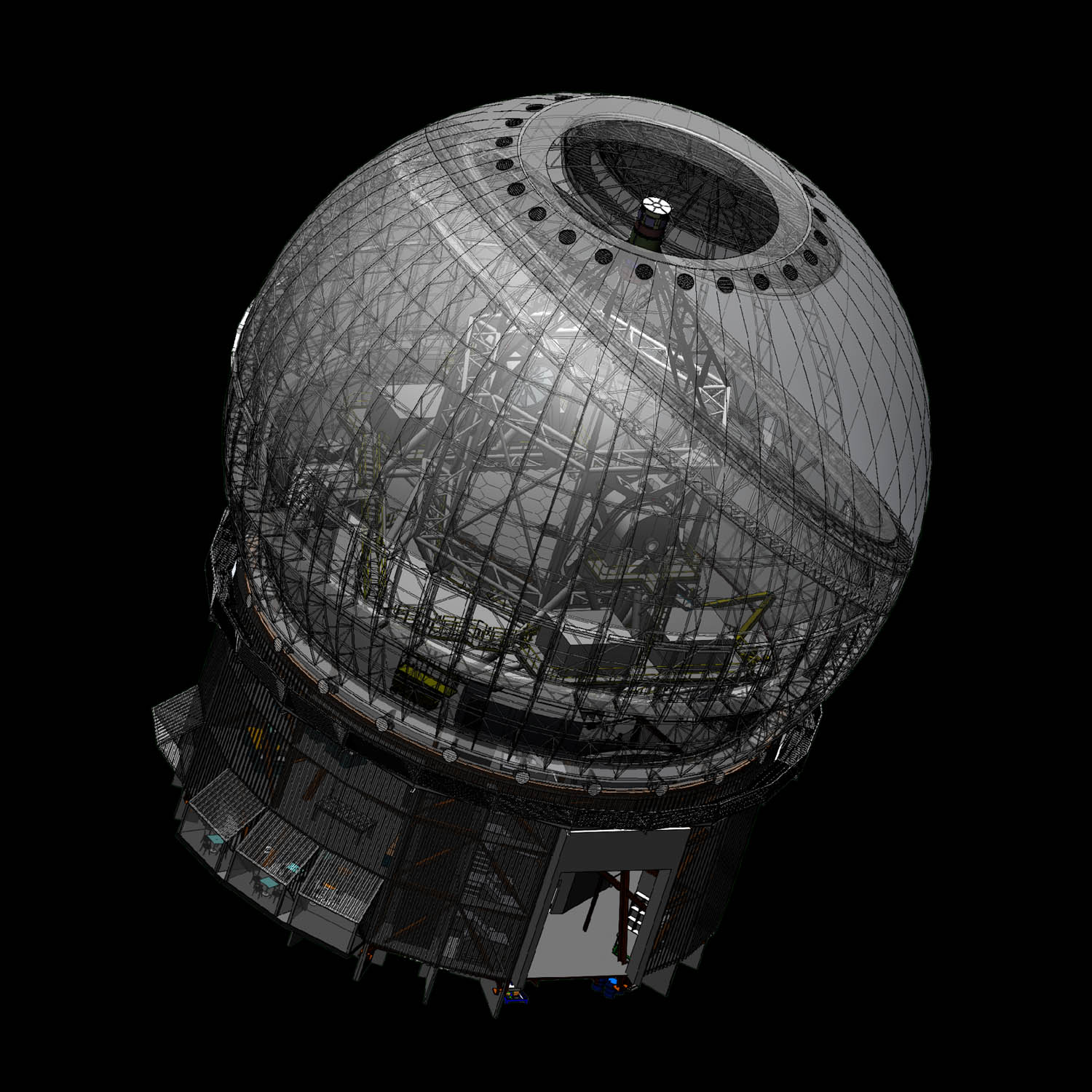
For instance, the Maunakea Spectroscopic Explorer model — a massive telescope assembly with over 8,000 components and 59 million triangles — it dropped to 1.57 frames per second (FPS), making it essentially unusable. By contrast, with the Nvidia RTX A1000, model navigation was perfectly smooth and seamless, with 8 GB being plenty for almost all CAD and BIM workflows.

However, issues like the one we encountered in Solidworks shouldn’t be assumed across all CAD and BIM software. In our tests with Autodesk Revit, for example, the Arc Pro B50 performed flawlessly.


Intel Arc Pro B50
The Arc Pro B50 struggles in Solidworks when viewing large CAD models, such as this 8,000 part Maunakea Spectroscopic Explorer assembly, in shaded with edges mode

The verdict

We have mixed feelings about the Intel Arc Pro B50. On the hardware side, its generous 16 GB of GPU memory gives it a clear advantage over the Nvidia RTX A1000, pushing it beyond traditional CAD and firmly into visualisation and AI-adjacent workflows. In practice, that memory advantage should deliver tangible benefits in applications such as Twinmotion and D5 Render. However, software compatibility remains a key concern. While the B50 performs well in some tools, it struggles in others — including Lumion and certain display modes in Solidworks — making it essential to check support for your preferred applications before committing.

On the hardware side, the B50’s generous 16 GB of GPU memory gives it a clear advantage over the Nvidia RTX A1000, pushing it beyond traditional CAD and firmly into visualisation and AI-adjacent workflows

Where the B50 does work well, the extra memory translates into a clear performance uplift, particularly when producing final high-resolution renders. That said, it is best regarded as a GPU for entry-level visualisation. As scene complexity increases, real-time performance begins to tail off, at which point more powerful options such as the Nvidia RTX Pro 2000 Blackwell come into play (see review here). Priced at £580 + VAT, it offers the same 16 GB memory capacity but delivers significantly higher overall performance, with faster render times and much higher frame rates.

There is also competition from an unexpected direction. AMD’s Ryzen AI Max+ Pro 395, with its integrated Radeon GPU and access to vast pools of system memory, presents a compelling alternative — albeit one that requires an entirely new system, such as the HP Z2 Mini G1a.

In short, the Arc Pro B50 is an intriguing option for memory-heavy workflows, but its appeal is tempered by lingering software compatibility concerns and strong alternatives elsewhere in the market.


This article is part of AEC Magazine’s 2026 Workstation Special report
Advertisement

Leave a comment